
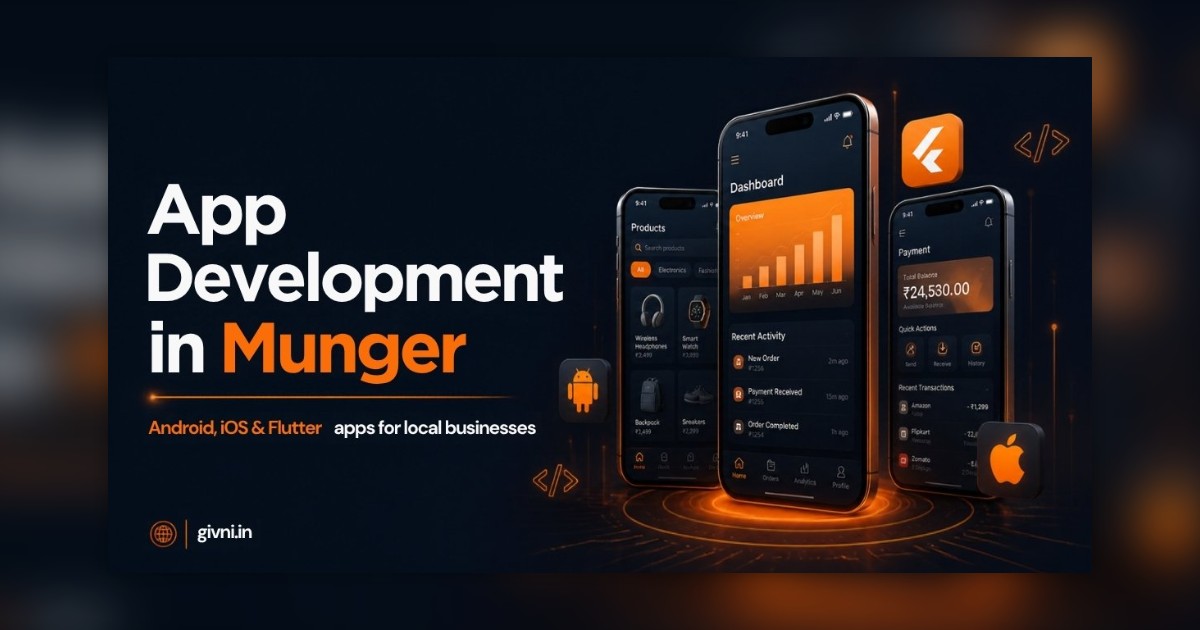
When a developer sends you a proposal full of terms like "OTP authentication", "push notifications", "payment gateway" and "REST API", it is easy to nod along without knowing what you are paying for. This guide translates the most common app features into plain language, so that anyone considering app development in Munger can decide which features they really need. Munger is a historic riverside town on the Ganga, known for its fort, its yoga tradition and its long association with gun-making, and today it also has the usual mix of shops, clinics, schools and small workshops that can benefit from a well-planned mobile app.
Think of this article as a menu. Not every business needs every dish. The aim is to help you order sensibly.
Start With the Job, Not the Feature
Before looking at any feature list, describe the job your app must do in one sentence. "Let patients book appointments and download reports." "Let retailers order from our price list." "Let parents see attendance and pay fees." Every feature should then be judged against that sentence. If a feature does not help the job, it can wait.
Core Features in App Development in Munger
Login and user accounts
Most local apps use a mobile number with a one-time password (OTP) sent by SMS. It is familiar, fast and avoids forgotten passwords. Some staff apps use a simple PIN instead. Ask whether different users, such as customers, staff and managers, will see different screens. This is called role-based access, and it is important when sensitive information like balances or medical reports is involved.
Catalogue or service list
This is the list of products, services, courses or doctors that users browse. Good catalogues have clear photos, search, categories and prices that you can update yourself from an admin panel. For a shop with many items, fast search matters more than beautiful design.
Cart, booking or request form
This is where the user actually does something: places an order, books a slot or sends an enquiry. Keep the number of steps as small as possible. Every extra screen loses some users.
Payments
A payment gateway lets users pay by UPI, card or net banking inside the app. Many local businesses also keep cash on delivery or "pay at counter" options. Discuss gateway charges, refund handling and settlement timing with your developer and payment provider before launch.
Notifications
Push notifications are the small messages that appear on a phone even when the app is closed. They are useful for order updates, appointment reminders, fee due dates and occasional offers. Use them carefully; too many promotional messages make people uninstall the app. SMS and WhatsApp messages can complement them for important alerts.
Admin panel
This is the control room of your app, usually a website that only you and your staff can access. From here you add products, change prices, view orders, manage users and see reports. A weak admin panel means calling the developer for every small change, so treat this as a core feature, not an extra.
Features That Depend on Your Business
Offline mode
If your staff or customers work in areas with poor network, offline mode lets them keep working and syncs the data later. This is especially valuable for field sales, service technicians and collection agents in rural areas around the town.
Location and tracking
Delivery and transport businesses may want live tracking or route history. Service businesses may want staff to "check in" at a customer's location. Location features use more battery and raise privacy questions, so use them only where they clearly help.
Media and documents
Clinics may need to share PDF reports. Schools may share homework photos and circulars. Workshops may want staff to upload photos as proof of work. Plan storage and file-size limits so the app stays light.
Video and content
Coaching institutes and wellness or yoga teachers may want recorded classes, schedules and live session links. Video can be hosted on specialist platforms and shown inside the app rather than stored directly, which typically keeps things simpler.
Language options
A Hindi interface, or at least Hindi labels on key buttons, can make a big difference in adoption among customers and staff who are less comfortable with English.
Integrations: Where Real Savings Happen
An integration connects your app to other software you use. Common examples are billing and GST software, accounting tools, CRM systems, SMS and WhatsApp gateways, and payment gateways. Without integration, staff often copy data from one system to another by hand. With it, an order placed in the app can create an invoice automatically. Ask your developer which integrations are included and which would be a later phase.
Features That Can Usually Wait
- In-app chat, unless customer support is your main purpose.
- Complex loyalty and referral programmes.
- Advanced analytics dashboards beyond basic daily reports.
- Multiple language versions beyond Hindi and English.
- An iPhone version, if almost all your users are on Android.
Leaving these for later does not mean they are unimportant. It means you can add them once you know how people use your app. Android app development in Munger can start lean and grow with real feedback.
How Givni Helps You Choose
When businesses approach Givni, we usually go through a feature list like this one together and mark each item as now, later or never. You can read more about our app development in Munger service, or compare notes with our mobile app development company page for a sense of how projects are typically organised.
हिंदी में पढ़ें: app में कौन से फ़ीचर ज़रूरी हैं — आसान भाषा में
मुंगेर गंगा किनारे बसा एक पुराना शहर है, जो अपने क़िले, योग परंपरा और बंदूक बनाने के पुराने काम के लिए जाना जाता है। आज यहाँ दुकानें, क्लिनिक, स्कूल और छोटे वर्कशॉप भी हैं, जिनके लिए mobile app काम का हो सकता है। लेकिन जब developer का प्रस्ताव "OTP", "push notification", "payment gateway" जैसे शब्दों से भरा हो, तो समझ नहीं आता कि पैसा किस चीज़ का दे रहे हैं। इसलिए यहाँ आसान भाषा में समझते हैं।
सबसे पहले एक लाइन में लिखिए कि app का काम क्या है, जैसे "मरीज़ appointment बुक करें और रिपोर्ट डाउनलोड करें"। फिर हर फ़ीचर को इसी लाइन से परखिए।
login — ज़्यादातर app मोबाइल नंबर और OTP से चलते हैं, password याद रखने का झंझट नहीं। ग्राहक, स्टाफ़ और मैनेजर को अलग-अलग स्क्रीन दिखनी चाहिए, ख़ासकर जब बकाया या मेडिकल रिपोर्ट जैसी जानकारी हो। catalogue — प्रोडक्ट या सेवाओं की लिस्ट, साफ़ फोटो, search और ऐसे भाव जो आप ख़ुद बदल सकें। ऑर्डर या बुकिंग — जितने कम स्टेप, उतना अच्छा।
पेमेंट — UPI, कार्ड और नेट बैंकिंग के साथ नक़द या काउंटर पर भुगतान का विकल्प भी रखिए। gateway के चार्ज और refund के नियम पहले समझ लीजिए। notification — ऑर्डर अपडेट, appointment और फ़ीस की याद दिलाने के लिए बढ़िया हैं, लेकिन बहुत ज़्यादा offer भेजेंगे तो लोग app हटा देंगे। admin panel — यह app का कंट्रोल रूम है। अच्छा admin panel न हो तो हर छोटे बदलाव के लिए developer को फोन करना पड़ेगा।
कुछ फ़ीचर कारोबार पर निर्भर करते हैं। गाँव में network कमज़ोर हो तो offline mode ज़रूरी है। डिलीवरी वालों को location tracking चाहिए हो सकती है। क्लिनिक को PDF रिपोर्ट और स्कूल को होमवर्क की फोटो भेजनी होती है। योग या कोचिंग वाले recorded class और live session का link दे सकते हैं। हिंदी का विकल्प हो तो ज़्यादा लोग app अपनाते हैं।
असली बचत integration से होती है — यानी app को billing, GST, accounting या CRM software से जोड़ना, ताकि ऑर्डर आते ही बिल अपने-आप बन जाए। चैट, बड़े loyalty प्रोग्राम, भारी रिपोर्ट और iPhone version अक्सर बाद में भी जोड़े जा सकते हैं। हर फ़ीचर के आगे "अभी", "बाद में" या "ज़रूरत नहीं" लिखिए — इससे आपका app हल्का, सस्ता और काम का बनेगा।
एक छोटी सलाह और — developer से हर फ़ीचर का demo माँगिए, सिर्फ़ नाम सुनकर हाँ मत कहिए। अगर कोई शब्द समझ न आए तो बेझिझक पूछिए कि इससे आपके ग्राहक या स्टाफ़ का कौन सा काम आसान होगा। जो फ़ीचर आप ख़ुद एक लाइन में समझा न सकें, वह शायद अभी आपके app के लिए ज़रूरी नहीं है।
Frequently Asked Questions
Which features are essential for almost every business app?
Typically login, a catalogue or service list, an order or booking flow, notifications and a good admin panel. Payments and integrations are added depending on your business.
Is OTP login safe enough?
For most local business apps, OTP login is convenient and reasonably secure. Apps handling sensitive data may add extra checks such as a PIN or role-based access.
Do I need offline mode?
If your staff or customers often work in areas with weak network, yes. Otherwise it can be skipped or added later.
Can I add features after launch?
Yes. Most apps are improved in phases. Launching with core features and adding others based on real feedback is usually the smarter approach.
Not sure which features your app needs? Call +91 98359 42411 or +91 94304 55055, email givniinfo@gmail.com, or contact Givni Monday to Saturday, 9:30 to 18:30.
