
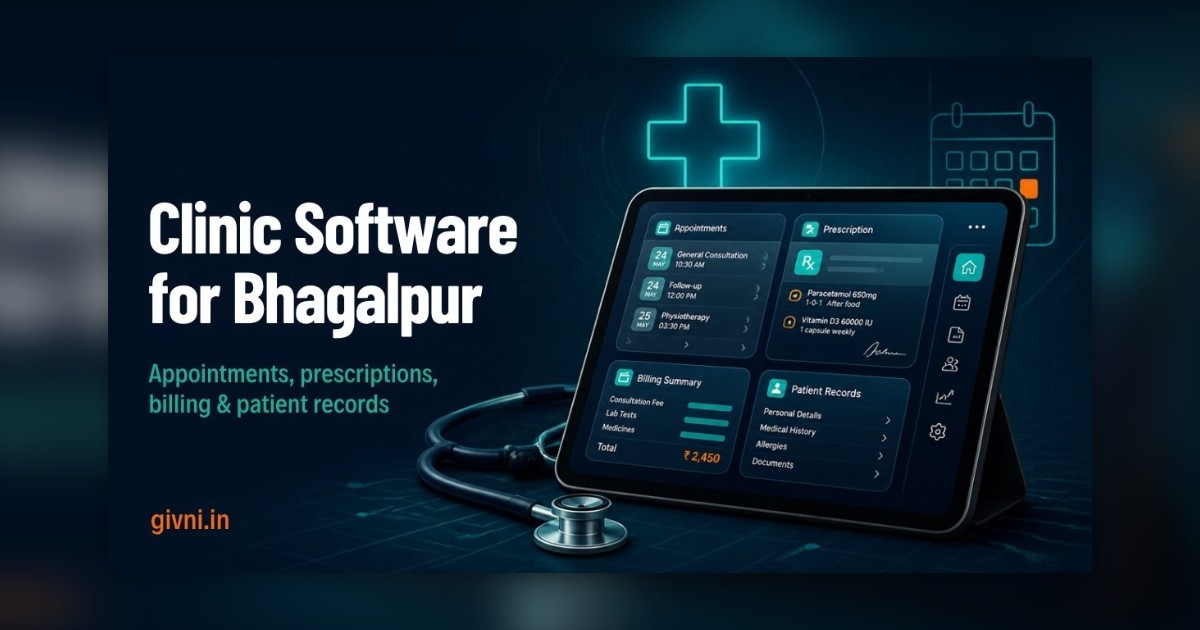
Bhagalpur, the silk city on the southern bank of the Ganga, is also an important medical centre for eastern Bihar. Patients come from Banka, Munger, Godda across the Jharkhand border and the riverine villages around the city. If you run a clinic, nursing home or diagnostic centre here and are thinking about clinic management software in Bhagalpur, this step-by-step buyer's checklist will take you from "we should go digital" to a confident decision in ten clear steps.
Work through the steps in order. Each one has a short checklist you can tick off with your team.
Step 1: Define Why You Want Software
Start by writing down the two or three problems that hurt most today. Typical answers include long queues at the front desk, lost reports, illegible prescriptions, cash not matching at day end, and missed follow-ups.
- List your top three problems.
- Agree with your partners or senior doctors that these are the priorities.
Step 2: Map How Your Clinic Works Today
Follow one patient from first contact to final receipt. Who answers the phone? Where is the name written? How does the doctor get the file? Who collects the money? Where do lab reports go?
- Draw the patient journey on one page.
- Mark where delays and errors usually happen.
Step 3: Decide Your Must-Have Features
Turn your problems into a short list of essential features. For most Bhagalpur clinics, the must-haves are:
- Patient registration and search by mobile number
- Doctor-wise appointments and walk-in tokens
- Digital prescriptions with templates
- Unified billing with cash and UPI tracking
- Lab report upload linked to the patient record
- Appointment and follow-up reminders in Hindi
When comparing clinic management software in Bhagalpur, put everything else, such as pharmacy stock, indoor patient management or online booking, on a separate "later" list.
Step 4: Count Users and Locations
Note how many doctors (including visiting consultants), receptionists, billing staff, lab and pharmacy staff will use the system, and whether you have more than one location. This affects both setup and pricing.
Step 5: Check Your Infrastructure
- Is there a working computer at the front desk and in each consultation room, or will doctors use a tablet?
- Do you have a reliable printer for prescriptions and receipts?
- Is there a UPS for power cuts?
- Is your internet stable, and do you have a mobile hotspot as backup?
Step 6: Shortlist Two or Three Vendors
Look for clinic software vendors who work with clinics of your size, can train staff in Hindi, and offer support during your working hours. Ask other doctors in your network what they use and how support has been, while remembering that every clinic's needs are a little different.
Step 7: Run a Scenario-Based Demo
Give each shortlisted vendor the same scenario based on your own patient journey. For example: a patient from Banka books with a visiting specialist on Saturday, arrives with an old report, sees the doctor, gets a prescription and a blood test, pays part in cash and part by UPI, and needs a follow-up in two weeks.
- Ask the vendor to run the whole scenario live.
- Let your receptionist operate the booking and billing screens herself.
- Let at least one doctor try the prescription screen.
Step 8: Ask About Data and Privacy
Patient records privacy is a responsibility, not a feature to tick. Ask each vendor:
- Where is data stored and how is it backed up?
- Can each user have a separate login with role-based permissions?
- Is there a log of who viewed or changed records?
- Can you export all your data in a standard format if you leave?
- How does the vendor plan, in general terms, to support ABDM and ABHA health ID workflows?
Step 9: Compare Proposals Side by Side
Make a simple comparison sheet with columns for each vendor and rows for: must-have features covered, ease of use for your staff, training included, support hours and channel, data export terms, and how future changes are charged. Price matters, but compare it only after you know that the scope is the same.
Step 10: Plan the Rollout Before You Sign
Agree with the chosen vendor on a go-live date, a training schedule and who in your clinic owns the project. Plan to start with must-have features only and add the "later" list after a few weeks. Decide how you will handle old records: most clinics add regular patients gradually as they visit rather than typing in years of files.
A Note for Bhagalpur Nursing Homes
If you also admit patients, add a few items to your checklist: bed and ward management, indoor billing that adds charges day by day, nursing notes, and discharge summaries. Test these during the demo with a sample admission, because indoor workflows vary more between facilities than OPD workflows do.
Your One-Page Clinic Management Software Checklist for Bhagalpur
- Top three problems written down
- Patient journey mapped
- Must-have and later features listed
- Users and locations counted
- Computers, printer, UPS and internet checked
- Two or three vendors shortlisted
- Scenario demo completed with staff involved
- Data, privacy and export questions answered
- Proposals compared on the same scope
- Rollout plan agreed before signing
How Givni Supports Bhagalpur Clinics
Givni builds hospital management software in Bhagalpur for clinics, nursing homes and diagnostic centres, and we are happy to run your own scenario in a demo. If you would also like help with your clinic's online presence, see our work on hospital digital marketing. Whether you choose us or another provider, following these ten steps will help you pick clinic software in Bhagalpur that your team actually enjoys using.
हिंदी में पढ़ें: भागलपुर के क्लिनिक के लिए 10 क़दम
भागलपुर, गंगा किनारे बसा silk city, पूर्वी बिहार के लिए इलाज का भी बड़ा केंद्र है। बांका, मुंगेर, झारखंड के गोड्डा और दियारा इलाक़े के गाँवों से मरीज़ यहाँ आते हैं। अगर आप भागलपुर में क्लिनिक, nursing home या diagnostic centre चलाते हैं और clinic management software लेने की सोच रहे हैं, तो ये दस क़दम आपके काम आएँगे।
1. क्यों चाहिए, यह तय कीजिए: अभी की सबसे बड़ी तीन परेशानियाँ लिखिए – लंबी line, खोई हुई report, न पढ़ी जाने वाली prescription, शाम को हिसाब न मिलना, या follow-up छूट जाना।
2. अभी का काम समझिए: एक मरीज़ को फ़ोन से लेकर receipt तक follow कीजिए और एक पन्ने पर लिखिए कि कहाँ देर होती है।
3. ज़रूरी features चुनिए: मोबाइल नंबर से मरीज़ की search, डॉक्टर के हिसाब से appointment और token, digital prescription, एक ही जगह billing, lab report upload और हिंदी में reminder। बाकी चीज़ें "बाद में" वाली list में डालिए।
4. कितने लोग इस्तेमाल करेंगे: डॉक्टर, visiting doctor, रिसेप्शन, billing, lab और pharmacy स्टाफ़ गिनिए।
5. कंप्यूटर और internet देखिए: front desk पर कंप्यूटर, printer, UPS और भरोसेमंद internet के साथ mobile hotspot backup।
6. दो-तीन vendor चुनिए: जो आपके साइज़ के क्लिनिक के साथ काम करते हों, हिंदी में training दें और आपके काम के समय support दें।
7. अपनी स्थिति पर demo लीजिए: जैसे – बांका का मरीज़ शनिवार को visiting doctor की booking करता है, पुरानी report लाता है, दवा और blood test लिखे जाते हैं, आधा पैसा cash और आधा UPI से देता है, और दो हफ़्ते बाद follow-up है। यह सब vendor live करके दिखाए, और रिसेप्शनिस्ट ख़ुद screen चलाकर देखें।
8. data और privacy पूछिए: data कहाँ रहता है, backup कैसे होता है, हर user का अलग login है या नहीं, बदलावों का log है या नहीं, और vendor छोड़ने पर data मिलेगा या नहीं। ABDM और ABHA health ID के बारे में भी पूछिए।
9. proposals की तुलना कीजिए: features, आसानी, training, support और data की शर्तें एक sheet पर रखिए। क़ीमत तभी मिलाइए जब काम का दायरा एक जैसा हो।
10. sign करने से पहले rollout plan बनाइए: go-live की तारीख़, training का समय और क्लिनिक में ज़िम्मेदार व्यक्ति तय कीजिए। पुराने मरीज़ों का record धीरे-धीरे जोड़िए।
Nursing home हैं तो bed management, रोज़ जुड़ने वाली indoor billing, nursing notes और discharge summary भी demo में ज़रूर देखिए। Givni भागलपुर के क्लिनिक और nursing home के लिए software, training और support देता है। आप किसी से भी लें, ये दस क़दम सही फ़ैसले में मदद करेंगे।
Frequently Asked Questions
How long does the whole buying process usually take?
Many clinics complete these ten steps in a few weeks. The demo and comparison stages take the most time, and rushing them is rarely worth it.
Do doctors need to use computers in every consultation room?
Not always. Some clinics use tablets or a shared computer, and some doctors dictate while an assistant enters notes. Choose what fits your workflow.
What extra features do nursing homes need?
Typically bed and ward management, indoor billing, nursing notes and discharge summaries, in addition to standard OPD features.
Can we use the same system for OPD and diagnostics?
Many systems combine OPD, lab orders and report uploads. If your diagnostic centre has its own lab equipment workflow, check integration options during the demo.
Want to talk through your clinic's workflow first? Call +91 98359 42411 or +91 94304 55055, email givniinfo@gmail.com, or contact Givni through our website (Monday to Saturday, 9:30 am to 6:30 pm).
