
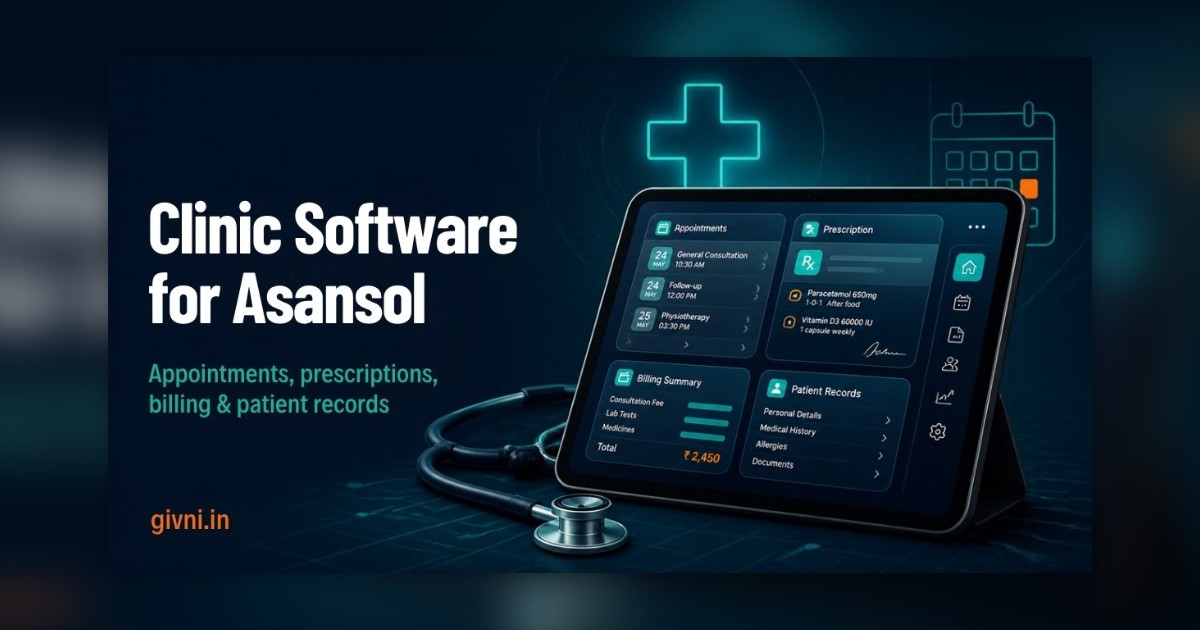
Asansol is one of the oldest industrial cities in West Bengal, shaped by coal mining, railways and the wider steel-and-coal belt along the Grand Trunk Road. Its clinics serve a wide catchment: city families, railway and colliery communities, and patients from nearby towns and villages. If you have already decided to adopt clinic management software in Asansol, the next question is how to go live without disrupting a busy OPD. This article lays out a practical 30-day rollout plan that a small or mid-sized clinic can follow.
The plan assumes a clinic with two to five doctors, a front desk, a billing counter and perhaps a small lab or dispensary. Larger nursing homes can stretch each phase a little longer. The goal is not speed for its own sake; it is a calm switch where patients barely notice anything changed, except that the queue moves faster.
Clinics in Asansol that follow a structured plan like this typically find the switch far less stressful than those that simply install the software and hope for the best.
Before Day 1: Three Decisions to Make
- Pick a project owner. One person, often the clinic manager or a senior receptionist, should own the rollout and be the main contact for the vendor.
- Choose a go-live date. Avoid your busiest days. A mid-week start often works better than a Monday.
- Agree the first-phase modules. Appointments, patient registration, prescriptions and billing. Everything else waits.
Week 1 (Days 1–7): Set Up and Configure
This week happens mostly behind the scenes while the clinic runs as usual.
- Clinic profile: name, address, letterhead, logo and GST details if applicable.
- Doctors and schedules: add each doctor, their consulting days, slot lengths and fees. Include visiting consultants with their fixed days.
- Services and charges: consultation types, procedures, packages, common lab tests and their rates.
- Users and roles: create a separate login for every staff member and set what each one can see and do. Patient records privacy starts here.
- Prescription templates: ask each doctor for their most common prescriptions and advice notes so templates are ready on day one.
- Message templates: write appointment confirmations and reminders in simple English, Hindi and Bengali, since Asansol's patient base is mixed.
Week 2 (Days 8–14): Train and Rehearse
Training is where most rollouts succeed or fail. Keep sessions short and practical.
- Front desk: two or three hands-on sessions covering registration, booking, walk-ins, tokens, rescheduling and cancellations. Use dummy patients only.
- Billing staff: creating bills, discounts, part payments, UPI and cash entries, refunds and the day-end report.
- Doctors: one focused session on viewing history, writing prescriptions, ordering tests and setting follow-up dates. Most doctors pick this up quickly once templates exist.
- Dress rehearsal: on one quiet afternoon, run a mock OPD with staff playing patients, from booking to billing. Note every question and fix the setup before go-live.
Print a one-page cheat sheet for the front desk with the five most common tasks. It sounds old-fashioned, but it saves a lot of phone calls in week three.
Week 3 (Days 15–21): Go Live With the Core
On go-live day, all new appointments and every patient who walks in are entered in the software. Keep the old register only for reference, not for new entries; running two systems side by side for long causes confusion.
- Patient data: do not try to type in years of old files. Register regular patients as they come in, and scan only important recent reports.
- Daily check-in: the project owner spends ten minutes at closing time noting issues and sends them to the vendor.
- Start reminders: switch on appointment reminders a few days after go-live, once bookings are being entered correctly.
- Daily reconciliation: compare the software's day-end report with actual cash and UPI receipts. Any difference usually points to a training gap, not a software problem.
Week 4 (Days 22–30): Stabilise and Expand
By now the team should be comfortable with the basics. Use this week to tidy up and plan the next phase.
- Review reports: look at daily collections, doctor-wise patient counts and pending follow-ups. Decide which reports the owner wants to see every day.
- Add one new module: typically lab orders and report uploads, or pharmacy stock if you run a dispensary. Train only the people who need it.
- Check backups and access: confirm backups are running, remove any shared logins, and review who can see what.
- Collect feedback: ask staff what still feels slow and ask a few regular patients whether reminders and receipts are helpful.
Common Hiccups and Simple Fixes
- Duplicate patient records: train staff to always search by mobile number before registering a new patient.
- Doctors still writing by hand: improve templates first; a slow prescription screen is usually a template problem.
- Power or internet cuts: keep a UPS for the front-desk computer and a mobile hotspot as backup.
- Staff turnover: keep the cheat sheet and a short recorded training video so new staff can learn quickly.
Looking Beyond Day 30
After the first month, clinics using clinic management software in Asansol often add online booking links, WhatsApp receipts, inventory alerts and more detailed reports. Over time, it is also worth understanding how India's ABDM framework and ABHA health IDs may let patients share records between providers; ask your vendor to explain their plans in general terms.
Support for Clinic Management Software in Asansol
Givni works with clinics across the Asansol–Durgapur industrial belt from our Kolkata head office. We provide hospital management software in West Bengal along with setup, staff training in Bengali or Hindi and post-go-live support. Whichever system you choose, a clear 30-day plan like this one gives your team the best chance of making clinic software in Asansol part of everyday work rather than another unused tool.
हिंदी में पढ़ें: आसनसोल के क्लिनिक के लिए 30 दिन का plan
आसनसोल कोयला, रेलवे और उद्योग वाला पुराना शहर है, और यहाँ के क्लिनिक में शहर के परिवारों के साथ-साथ आसपास के कस्बों और गाँवों से भी मरीज़ आते हैं। अगर आपने clinic management software लेने का फ़ैसला कर लिया है, तो असली सवाल है – इसे बिना OPD बिगाड़े कैसे चालू करें? इसके लिए 30 दिन का एक आसान plan नीचे है।
शुरू करने से पहले: एक ज़िम्मेदार व्यक्ति चुनिए, जैसे clinic manager या senior रिसेप्शनिस्ट, जो vendor से बात करेगा। Go-live का दिन सबसे भीड़ वाले दिन पर मत रखिए। और तय कर लीजिए कि पहले सिर्फ़ appointment, registration, prescription और billing चलेंगे।
पहला हफ़्ता – setup: क्लिनिक का नाम, letterhead, डॉक्टरों के दिन और समय, fees, procedures और tests के rate software में डालिए। हर स्टाफ़ का अलग login बनाइए और तय कीजिए कि कौन क्या देख सकता है। डॉक्टरों से उनकी आम prescriptions लेकर templates बनाइए। Reminder के messages हिंदी, बांग्ला और अंग्रेज़ी में लिखिए।
दूसरा हफ़्ता – training: रिसेप्शन और billing स्टाफ़ को dummy मरीज़ों पर practice कराइए। डॉक्टरों के लिए एक छोटा session काफ़ी है। फिर किसी ख़ाली दोपहर में पूरी mock OPD चलाइए – स्टाफ़ ही मरीज़ बनें, booking से billing तक सब करके देखें। रिसेप्शन पर एक पन्ने की cheat sheet रख दीजिए।
तीसरा हफ़्ता – go-live: अब हर नया मरीज़ software में ही दर्ज होगा। पुराना रजिस्टर सिर्फ़ देखने के लिए रखिए। पुरानी सारी फ़ाइलें एक साथ मत डालिए, regular मरीज़ जब आएँ तब उनका record बनाइए। हर शाम दस मिनट में दिक़्क़तें लिखिए और vendor को भेजिए। Day-end report को असली cash और UPI से मिलाइए।
चौथा हफ़्ता – मज़बूती: reports देखिए, एक नया module जोड़िए जैसे lab report या pharmacy stock, backup और access दोबारा जाँचिए, और स्टाफ़ व कुछ मरीज़ों से राय लीजिए।
छोटी-मोटी दिक़्क़तें आएँगी – duplicate records, डॉक्टर का फिर से हाथ से लिखना, बिजली या internet जाना, स्टाफ़ बदलना। इनके आसान हल हैं: पहले मोबाइल नंबर से search, बेहतर templates, UPS और hotspot, और training video।
आगे चलकर ABDM और ABHA health ID जैसी व्यवस्थाओं के बारे में भी vendor से पूछते रहिए। Givni कोलकाता से आसनसोल–दुर्गापुर इलाक़े के क्लिनिक को setup, बांग्ला या हिंदी में training और support देता है। साफ़ 30 दिन का plan हो, तो software सच में रोज़ के काम का हिस्सा बन जाता है। जल्दबाज़ी मत कीजिए, हर हफ़्ते एक क़दम आगे बढ़िए और टीम का भरोसा बनाइए।
Frequently Asked Questions
Can a clinic really go live within 30 days?
For a small or mid-sized clinic starting with core modules, a month is usually realistic. Larger nursing homes or clinics with many integrations may need longer.
Should we keep the paper register after going live?
Keep it for reference, but stop new entries in it soon after go-live. Running two systems in parallel for weeks tends to create mismatches.
Who should own the rollout inside the clinic?
Ideally a clinic manager or senior front-desk staff member who understands daily operations and can coordinate with doctors and the vendor.
What if a doctor refuses to use digital prescriptions?
Start by building good templates for that doctor and allow a gradual switch. Many doctors adopt it once they see it is quicker than writing by hand.
Ready to bring order to your OPD? Call Givni on +91 98359 42411 or +91 94304 55055, write to givniinfo@gmail.com, or contact Givni online. We are available Monday to Saturday, 9:30 am to 6:30 pm.
