
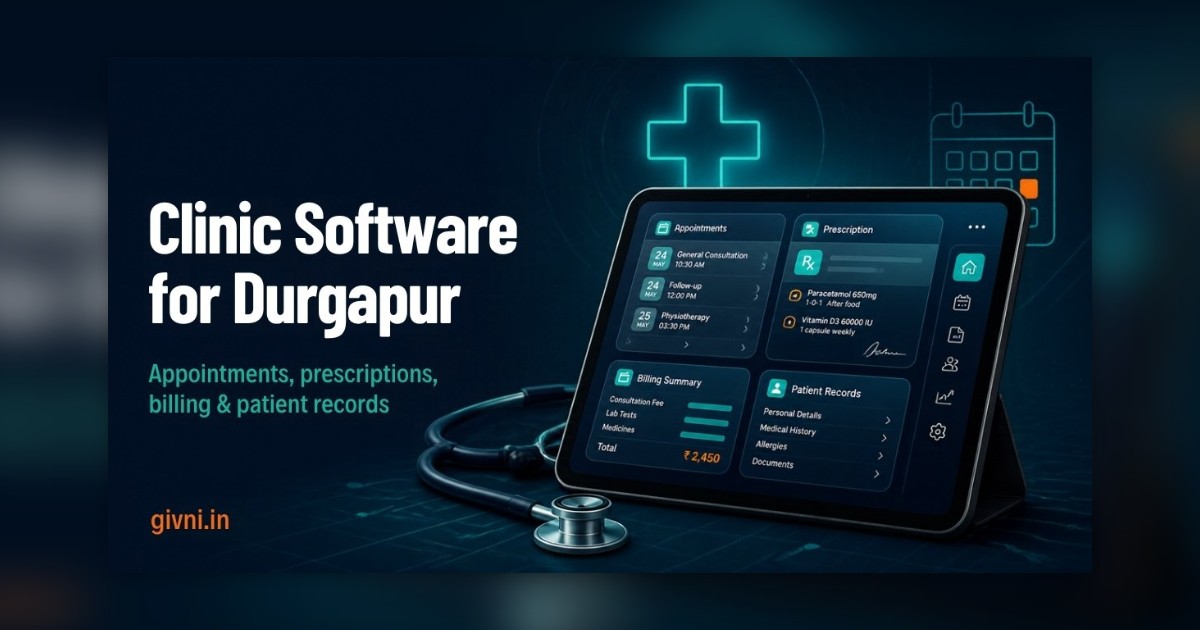
Durgapur is a planned steel town, and its healthcare reflects that: a mix of industrial-township hospitals, private nursing homes, specialist chambers along the main roads, and diagnostic centres serving families from the city and the surrounding Paschim Bardhaman belt. More of these practices are now looking at clinic management software in Durgapur, and that is a good thing. But buying software is easy; getting value from it is harder. Below are seven mistakes we see clinics make again and again, and what to do instead.
Mistake 1: Buying Before Mapping Your Own Workflow
Many clinic owners sit through a demo, like the screens, and sign up without first writing down how their clinic actually runs. Then they discover that the software assumes every patient books in advance, when most of their patients walk in; or that it bills per visit, when they charge by package.
Do this instead: Before you evaluate any clinic management software in Durgapur, spend one afternoon listing every step a patient goes through, from the first phone call to the final receipt and follow-up. Note who does each step. Take this list to every vendor and ask them to show each step live.
Mistake 2: Choosing on Price Alone
The cheapest option can turn out to be the most expensive if it needs constant workarounds, lacks support, or charges separately for every small change. Equally, the most expensive system is wasted if half its modules sit unused.
Do this instead: Compare the total effort of running the system: setup, data migration, training, support response time, and what each future change will involve. Ask what is included and what is extra, in writing.
Mistake 3: Ignoring the Front Desk
Doctors and owners usually choose the software, but receptionists use it most. If the booking and billing screens are slow or confusing, staff quietly go back to the register, and the software becomes a reporting tool that nobody updates.
Do this instead: Let your receptionist and billing staff test the demo themselves. Their comfort matters more than how impressive the owner's dashboard looks.
Mistake 4: Switching Everything On at Once
Appointments, EMR, pharmacy, lab, inventory, insurance, reports, marketing messages: turning all of it on in week one overwhelms any team. Errors pile up, staff lose confidence, and the project gets labelled "a failure" within a month.
Do this instead: Go live with appointments, patient records, prescriptions and billing. Add lab, pharmacy and stock modules once the basics feel natural, usually after a few weeks.
Mistake 5: Treating Patient Data Casually
Shared logins, passwords written on sticky notes, every staff member able to see clinical notes, no backups: these are common in clinics that are new to software. Patient records privacy is not just good manners; patients trust you with sensitive information, and that trust is hard to rebuild once lost.
Do this instead:
- Give every user their own login and set role-based permissions.
- Make sure the system keeps a log of who viewed or changed records.
- Confirm how and how often data is backed up, and where it is stored.
- Ask how you can export all your data if you ever leave the vendor.
Mistake 6: Forgetting About Shift Work and Industrial Patients
In an industrial town like Durgapur, many working patients come in after a shift, often late in the evening or on weekends. Some are covered by employer arrangements, and families of plant workers may visit together. Generic clinic software built for a big-city chamber may not handle this rhythm well.
Do this instead: Check that the calendar handles evening slots and walk-ins smoothly, that bills can carry details such as an employee or company reference where your clinic needs it, and that family members can be linked so a mother can book for her children quickly. Appointment reminders timed for after shift hours are also more likely to be read.
Mistake 7: No Plan for Support After Go-Live
The real questions start in the second and third week: "How do I cancel a bill?", "Why is this report showing yesterday's figures?", "Can we add a new doctor?". If your vendor is hard to reach, small issues turn into reasons to abandon the system.
Do this instead: Ask about support hours, response times, whether support is by phone or only by email, and whether someone can visit or connect remotely in the first month. Prefer a partner who will speak to your staff in Bengali or Hindi if that is what they are comfortable with.
A Quick Pre-Purchase Checklist for Durgapur Clinics
- Write down your patient journey and test each step in the demo.
- Let front-desk staff try booking and billing themselves.
- Get pricing scope, inclusions and change policies in writing.
- Plan a phased go-live, starting with the core modules.
- Set user roles and backup rules before entering real data.
- Check evening and walk-in handling for shift-worker patients.
- Confirm who to call, and when, after go-live.
- Ask in general terms how the vendor plans to support ABDM and ABHA health ID workflows as they grow.
Getting Clinic Management Software in Durgapur Right
Givni is headquartered in Kolkata and works with clinics and nursing homes across the state, including the Durgapur–Asansol belt. We offer hospital management software in West Bengal that can be configured for walk-in heavy OPDs, visiting consultants, in-house labs and dispensaries, with training for your staff and ongoing support. If you are evaluating options, we are happy to walk you through a demo built around your own workflow, even if you end up choosing someone else.
The main lesson is simple: good clinic software in Durgapur succeeds because of how it is chosen and rolled out, not because of a long feature list. Avoid these seven mistakes and you will be ahead of most practices making the switch.
हिंदी में पढ़ें: दुर्गापुर के क्लिनिक की सात आम ग़लतियाँ
दुर्गापुर एक steel town है, और यहाँ के क्लिनिक, nursing home और diagnostic centre अब तेज़ी से software की तरफ़ बढ़ रहे हैं। Software ख़रीदना आसान है, लेकिन उससे सही फ़ायदा लेना थोड़ा मुश्किल। यहाँ वो सात ग़लतियाँ हैं जो बहुत से क्लिनिक करते हैं।
पहली ग़लती: अपने क्लिनिक का काम समझे बिना software ख़रीद लेना। Demo में screen अच्छी लगी और sign कर दिया, बाद में पता चला कि software तो advance booking के हिसाब से बना है, जबकि आपके ज़्यादातर मरीज़ walk-in आते हैं। इसलिए पहले कागज़ पर लिखिए कि मरीज़ फ़ोन करने से लेकर receipt तक किन-किन steps से गुज़रता है।
दूसरी ग़लती: सिर्फ़ सबसे सस्ता देखकर चुनना। सस्ता software अगर हर छोटे बदलाव के लिए अलग पैसे माँगे या support न मिले, तो वो महँगा पड़ता है। क्या शामिल है और क्या extra है, लिखित में लीजिए।
तीसरी ग़लती: रिसेप्शन स्टाफ़ को भूल जाना। Software मालिक चुनते हैं, पर रोज़ इस्तेमाल रिसेप्शनिस्ट करती हैं। अगर उन्हें screen मुश्किल लगी, तो वो चुपचाप फिर से रजिस्टर में लिखने लगेंगी। Demo में उनसे खुद चलवाकर देखिए।
चौथी ग़लती: पहले ही हफ़्ते सब कुछ चालू कर देना। Pharmacy, lab, stock, reports सब एक साथ चलाने से टीम घबरा जाती है। पहले appointment, record, prescription और billing चलाइए, बाकी कुछ हफ़्तों बाद।
पाँचवीं ग़लती: मरीज़ों के data को हल्के में लेना। एक ही login सब इस्तेमाल करें, password दीवार पर चिपका हो, backup न हो – यह ठीक नहीं। हर user का अलग login, सही permission, log और नियमित backup ज़रूरी है।
छठी ग़लती: shift में काम करने वाले मरीज़ों को ध्यान में न रखना। दुर्गापुर में बहुत से मरीज़ shift ख़त्म करके शाम को या छुट्टी के दिन आते हैं, कभी पूरा परिवार साथ आता है। देखिए कि software शाम के slots, walk-in और परिवार के records को आसानी से संभाल सके, और reminder shift के बाद के समय पर जाए।
सातवीं ग़लती: go-live के बाद support की योजना न बनाना। असली सवाल दूसरे-तीसरे हफ़्ते में आते हैं। पूछिए कि support किस समय मिलेगा, फ़ोन पर मिलेगा या नहीं, और बांग्ला या हिंदी में बात हो सकेगी या नहीं।
Givni का head office कोलकाता में है और हम दुर्गापुर–आसनसोल इलाक़े के क्लिनिक के साथ भी काम करते हैं। आप किसी से भी software लें, इन सात ग़लतियों से बचेंगे तो आपका क्लिनिक बाक़ियों से आगे रहेगा। याद रखिए, अच्छा नतीजा software की लंबी feature list से नहीं, बल्कि सही चुनाव और धीरे-धीरे सही तरीके से चालू करने से आता है।
Frequently Asked Questions
Can clinic software handle mostly walk-in patients?
Yes, most good systems support walk-ins alongside booked appointments, with tokens issued at the desk. Test this specifically in the demo if walk-ins are your majority.
How many modules should we start with?
Most clinics do well starting with appointments, patient records, prescriptions and billing, then adding lab, pharmacy or inventory after a few weeks.
Is cloud software safe for patient records?
It can be, provided the vendor uses secure hosting, regular backups and role-based access, and your team follows basic password discipline. Ask the vendor to explain these points clearly.
Can we link family members under one account?
Many systems allow family linking so one phone number can manage bookings for several members. Check how records stay separate for each person.
If you would like a walkthrough built around your own clinic, contact Givni on +91 98359 42411 / +91 94304 55055 or at givniinfo@gmail.com. Our team works Monday to Saturday, 9:30 am to 6:30 pm.
