
Most small shops in India start billing the same way: a printed bill book from the local press, a carbon sheet, and a separate notebook for udhaar. It works until the day your CA asks for a GST summary, a customer wants a copy of last month's bill on WhatsApp, or you realise you have no idea how much stock is left in the godown. That is usually when shop owners start searching for free billing software.
The good news is that free billing software for small business in India has become genuinely usable. The catch is that "free" means very different things from one product to another. Some tools are free for a 14-day trial, some are free forever with limits, and some are free only on one device. This guide explains what free plans really include, where the limits usually sit, and how to choose one that will not force you to start over in six months.
What "free billing software" actually means
When a billing app calls itself free, it is usually one of three models. Knowing which one you are looking at saves a lot of frustration later.
| Model | What you get | What to watch for |
|---|---|---|
| Free trial | All features for 7 to 30 days | Billing stops or data locks once the trial ends unless you pay |
| Free-forever plan (freemium) | Core billing permanently free, with a cap on invoices, users or features | Check the monthly bill limit and which features are reserved for paid plans |
| Free desktop or open-source tool | Software installed on one computer | No automatic backup, no mobile access, updates and GST changes depend on you |
For most kirana stores, hardware shops and small traders, a free-forever plan is the most practical starting point. You can bill from day one, keep your data, and upgrade only when your volume grows.
What a good free plan should include
A free plan does not need every feature, but it must cover the basics of running a dukaan properly. At a minimum, look for these:
- GST-compliant invoices: the bill should show your GSTIN, HSN codes, taxable value and the correct CGST, SGST or IGST split. If you are a composition dealer, the software should issue a bill of supply instead.
- Customer (party) records: so you do not type the same name and phone number every time.
- Udhaar or dues tracking: a simple khata showing who owes you how much.
- Sharing options: PDF, WhatsApp or SMS, because most customers now prefer a digital bill.
- Cloud backup: if your phone is lost or your computer crashes, your bills should still be there.
- No credit card at sign-up: a genuinely free plan should not need payment details to start.
Common limits in free billing software
Every company has to earn money somewhere, so free plans come with limits. None of these are bad on their own; the point is to know them before you commit.
Invoice limits
Many free plans cap the number of bills you can create each month. A small wholesale or B2B business that makes a few dozen GST bills a month may never hit the cap. A busy retail counter that bills hundreds of walk-in customers daily will cross it quickly.
User and device limits
Free plans often allow one login. If you want your staff or your son to bill from the counter while you check reports from home, you may need a paid plan with staff logins.
Feature limits
Advanced inventory, multi-staff access, client logins and detailed reports are often kept for paid tiers. Check whether GST reports such as the GSTR-1 export and HSN summary are available on the plan you are choosing, because these are what save your CA time every month.
Data ownership
Ask a simple question: can I export my data to Excel or CSV? If the answer is no, moving away later will be painful.
Free vs paid: when does paying make sense?
Stay on a free plan while your bill volume is within the limit and one person handles billing. Consider upgrading when:
- you regularly hit the monthly invoice cap;
- more than one person needs to bill at the same time;
- you want stock management across hundreds of items with low-stock alerts;
- the time you save on GST filing and udhaar follow-up is worth more than the monthly fee.
A useful way to think about it: if a paid plan saves you even two hours of manual work a month, or helps you recover one forgotten udhaar payment, it usually pays for itself.
How to choose free billing software: a step-by-step checklist
- Write down your monthly bill count. Count last month's bill book. This tells you whether a capped free plan will be enough.
- Check your GST status. Regular GST dealers need tax invoices with CGST/SGST/IGST. Composition dealers need a bill of supply. Unregistered small shops may only need simple bills and a khata.
- Decide where you will bill. Mobile, computer, or both? If you move between the shop and the godown, cloud sync matters.
- Test with five real bills. Create bills for your actual products, with real HSN codes and rates. See how long each bill takes and how it looks on WhatsApp and on print.
- Check printer support. If you use a thermal printer at the counter, confirm it works before you go live.
- Look at reports. Generate a sales report and a GST summary. Show it to your CA and ask if it is what they need.
- Check import and export. Can you import your product list from Excel? Can you export everything later?
- Read the upgrade pricing. Even if you start free, know what the next plan costs so there are no surprises.
- Check language and support. If your staff is more comfortable in Hindi, a Hindi interface helps. Make sure there is a phone or WhatsApp number for help.
How MaterialBill fits as free billing software
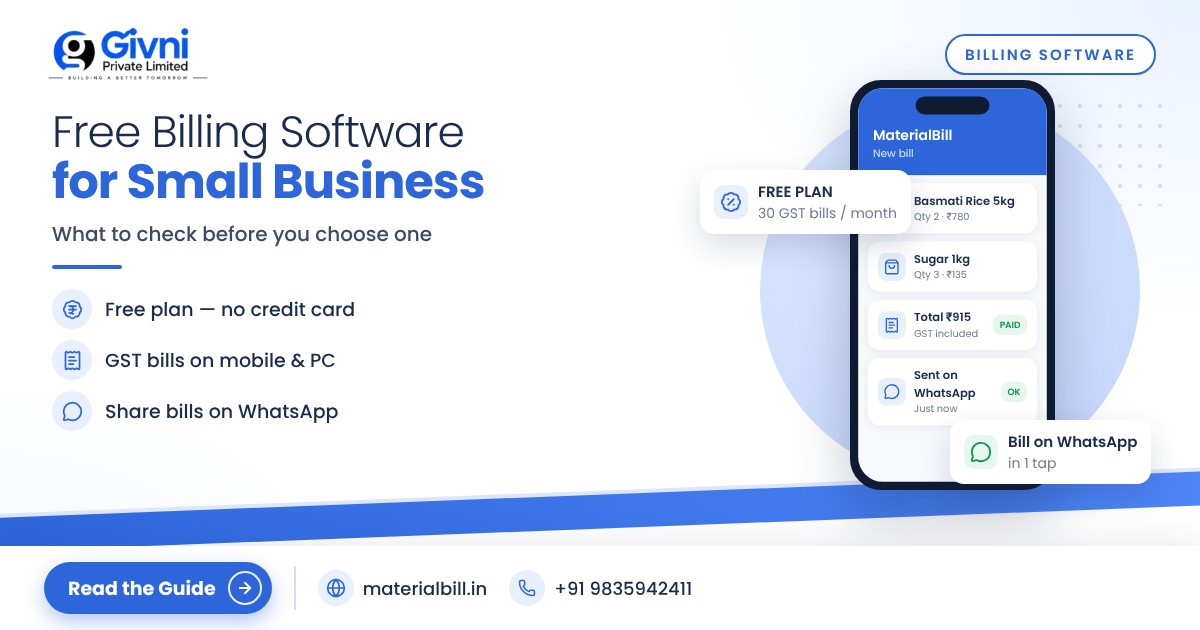
MaterialBill is a cloud-based GST billing software and Android billing app made by Givni Private Limited for Indian businesses. Its free billing software plan is free forever and, at the time of writing, includes 30 GST bills a month, udhaar khata and party management, with no credit card needed to sign up.
Here is what that covers in practice:
- GST invoices with CGST, SGST and IGST calculated automatically, and bill of supply for composition dealers.
- Sharing bills on WhatsApp, SMS, email or as a PDF, and printing on a thermal printer.
- Cloud backup with sync across phone, tablet and PC through the browser, plus an offline mode.
- Hindi and English interface.
If you outgrow the free plan, paid plans at the time of writing start at ₹249 a month for 50 invoices (Basic), ₹599 a month for 200 invoices and 5 staff logins (Standard), and ₹1,999 a month for unlimited invoices, 20 staff logins, stock management and client login (Premium). Yearly billing saves 20%. You can compare them on the pricing page.
Beyond basic billing, MaterialBill also offers real-time stock with low-stock alerts, barcode billing, GSTR-1 JSON download, HSN and GST summaries for your CA, payment reminders on WhatsApp and SMS, and reports you can export to Excel or CSV. Which of these come with which plan can change, so check the pricing page before deciding. The full list is on the features page. MaterialBill is used across 70+ industries, from kirana and medical stores to building material and hardware shops. To try it, visit the MaterialBill billing app website.
FAQs
Is free billing software safe for GST invoices?
Yes, as long as the software produces invoices with all the fields GST rules require, such as GSTIN, invoice number, date, HSN code, taxable value and tax amounts. Price has nothing to do with compliance; check the invoice format itself and confirm with your CA if you are unsure.
Can I use free billing software on my mobile?
Many free billing tools now have Android apps. Cloud-based ones also let you open the same account on a computer browser, so bills made on the phone show up on the PC as well.
What happens when I cross the free invoice limit?
It depends on the product. Usually you either wait for the next month or upgrade to a paid plan. Your existing bills and data should remain available. Ask about this before you sign up.
Do I need GST registration to use billing software?
No. Unregistered shops can still use billing software for simple bills, customer records and udhaar tracking. Once you register for GST, you can add your GSTIN and start issuing tax invoices.
Can I move my existing product list into the software?
Good billing software lets you import products from an Excel or CSV file, so you do not have to type hundreds of items one by one.
Conclusion
Free billing software is no longer a compromise for small businesses in India. The key is to understand the limits, test with your own products, and pick a tool that grows with you instead of trapping your data. If you want to try one built for Indian shops, start MaterialBill's free plan with no credit card. If you have questions, call or WhatsApp +91 98359 42411 or write to support@materialbill.in.
