
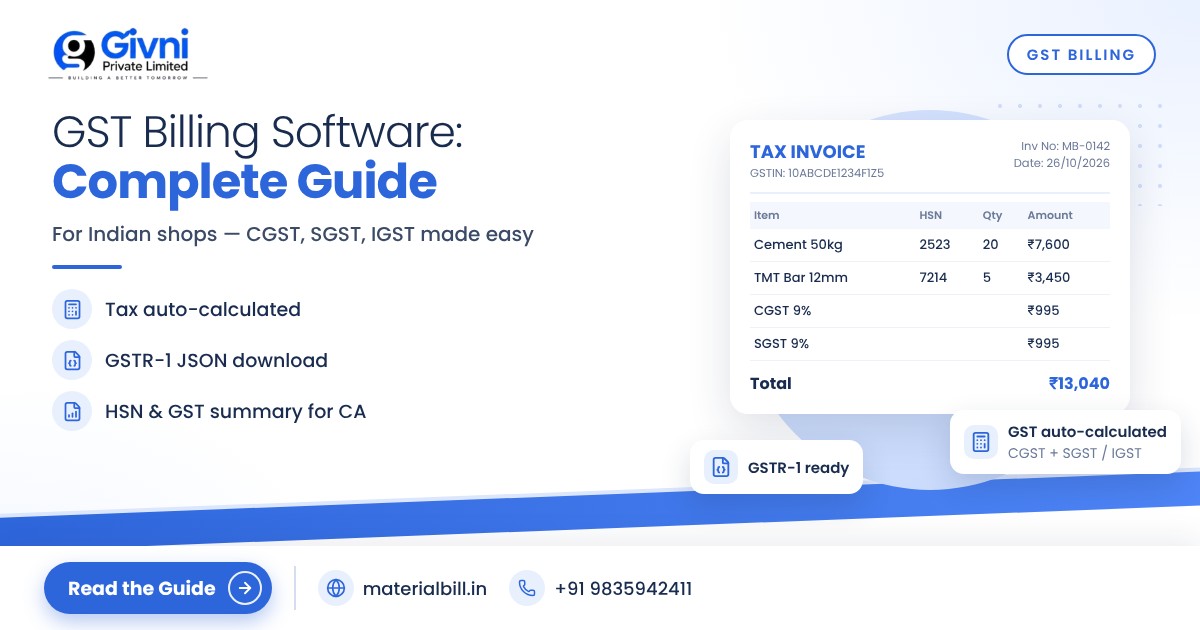
For a shop owner in India, GST is not just a tax; it is a monthly routine. Every bill has to show the right tax split, every item needs an HSN code, and every month or quarter your CA needs your sales data to file GSTR-1. If you are still doing this with a handwritten bill book and a calculator, small mistakes add up fast: a wrong rate here, IGST charged instead of CGST and SGST there, and a long evening sorting bills before the due date.
Good GST billing software takes most of that load off you. This guide explains what such software should do, how it handles CGST, SGST and IGST, why HSN codes and the GSTR-1 export matter, and gives you a practical checklist for choosing GST billing software for an Indian shop.
What GST billing software does
At its simplest, GST billing software creates tax invoices that follow GST rules and keeps a record of every sale in a format your CA and the GST portal can use. A good one will:
- store your business details, GSTIN and state once, and print them on every bill;
- keep a product list with HSN codes, units and GST rates;
- work out the correct tax type for each bill based on where the customer is;
- number invoices in sequence so there are no gaps or duplicates;
- produce the reports needed for GST returns.
CGST, SGST and IGST: how the software decides
The tax type depends on the place of supply compared with your own state.
| Type of sale | Tax charged | Example on an item at 18% |
|---|---|---|
| Within your state (intra-state) | CGST + SGST, split equally | 9% CGST + 9% SGST |
| To another state (inter-state) | IGST | 18% IGST |
| Within a Union Territory without its own legislature | CGST + UTGST | 9% CGST + 9% UTGST |
Doing this by hand is where many errors happen. If a Patna shop sells to a contractor in Kolkata and charges CGST and SGST instead of IGST, the bill is wrong and has to be corrected. GST billing software reads the customer's state, or the state code in their GSTIN, and applies the right tax type automatically.
HSN codes on invoices
HSN (Harmonised System of Nomenclature) codes classify goods; services use SAC codes. As per the current requirement, businesses with aggregate turnover up to ₹5 crore generally show at least 4-digit HSN codes, and those above ₹5 crore show at least 6 digits. The same thresholds apply to the HSN summary in GSTR-1. Rules on HSN reporting have been tightened in recent years, so confirm the exact requirement for your business with your CA or on gst.gov.in.
In billing software, you set the HSN code once against each product. After that it prints on every bill automatically and feeds the HSN-wise summary your CA needs.
GSTR-1 export and GST reports
GSTR-1 is the return in which you report your outward supplies (sales). At the time of writing, monthly filers file it by the 11th of the following month, and small taxpayers in the QRMP scheme file quarterly by the 13th of the month after the quarter. Due dates can be extended by notification, so always check the GST portal.
Without software, someone has to collect every bill, split B2B from B2C sales, total them by rate and by HSN, and type it into the portal. GST billing software can generate:
- GSTR-1 JSON file: a file in the format the GST portal's offline tool accepts, so data does not have to be typed manually.
- HSN summary: HSN-wise quantity, taxable value and tax.
- GST summary: tax collected by rate and type, useful for GSTR-3B and for your CA's review.
- Sales register: a list of all invoices that can be exported to Excel.
Composition dealers and bill of supply
If you have opted for the composition scheme (available, at the time of writing, to most goods traders with turnover up to ₹1.5 crore, with a lower limit in some special category states), you cannot collect GST from customers. You issue a bill of supply instead of a tax invoice. Your billing software should support this mode, so it does not show tax lines you are not allowed to charge.
What about e-invoicing?
E-invoicing (generating an IRN and QR code through the Invoice Registration Portal) is currently mandatory for B2B invoices of businesses whose aggregate turnover has exceeded ₹5 crore in any financial year since 2017-18. Most small shops are below this limit. If you are near it, ask your CA and check whether your software supports e-invoicing before you cross it.
Checklist: choosing GST billing software for your shop
- Tax types: Does it calculate CGST/SGST and IGST automatically based on the customer's state?
- Rates and HSN: Can you set HSN codes and GST rates per item, and update them easily when rates change?
- Invoice fields: Does the bill show your GSTIN, invoice number, date, customer GSTIN for B2B, HSN, taxable value, rate and tax amounts?
- Invoice numbering: Are numbers sequential and unique for each financial year?
- Composition support: If you are a composition dealer, can it issue a bill of supply?
- GSTR-1 export: Can it produce a GSTR-1 JSON file and an HSN summary?
- Reports for your CA: GST summary, sales register, Excel or CSV export.
- Speed at the counter: Barcode billing, quick item search, thermal printer support.
- Sharing: Can you send bills on WhatsApp, SMS, email or PDF?
- Data safety: Cloud backup, multi-device access, and an offline mode for when the internet drops.
- Cost: Is there a free plan to test with real bills before paying?
Spend half an hour making a few real bills in any software you shortlist: one local B2C sale, one local B2B sale, and one inter-state sale. Then generate the GST reports and show them to your CA. That one test will tell you more than any brochure.
How MaterialBill handles GST billing
MaterialBill GST billing software is a cloud-based billing software and Android app from Givni Private Limited, built for Indian shops and traders. In practice it covers the checklist above like this:
- GST invoices with CGST, SGST and IGST calculated automatically, and bill of supply for composition dealers.
- GSTR-1 JSON download for the GST portal, plus HSN summary and GST summary to hand over to your CA.
- Barcode billing, thermal printer printing, and sharing bills on WhatsApp, SMS, email or PDF.
- Real-time stock, low-stock alerts, udhaar khata and payment reminders.
- Reports exportable to Excel or CSV, and product import from Excel or CSV.
- Cloud backup, sync across phone, tablet and PC, offline mode, and Hindi and English.
If you need to look up rates while setting up your item list, MaterialBill also publishes a GST rates reference; still confirm rates for your specific items with your CA, as rates change. At the time of writing there is a free-forever plan with 30 GST bills a month and no credit card required, with paid plans from ₹249 a month; details are on the pricing page. You can learn more on the MaterialBill homepage.
FAQs
Is GST billing software mandatory?
No. GST law requires a proper tax invoice, not a particular software. You can legally issue handwritten GST invoices if they contain all required details. Software simply reduces errors and makes return filing much faster.
Can GST billing software file my returns directly?
Most billing software prepares the data, such as a GSTR-1 JSON file, which you or your CA upload on the GST portal. Filing and verification still happen on the portal with your credentials.
What if GST rates change for my products?
Update the rate in your product list once, and every new bill will use the new rate. Old bills keep the rate that applied when they were issued.
Can I use GST billing software if I am a composition dealer?
Yes, as long as it supports bill of supply. Composition dealers cannot charge GST on their bills, so the software should switch to that format.
Does GST billing software work for inter-state sales?
Yes. Good software detects that the customer is in another state and charges IGST instead of CGST and SGST, and shows the place of supply on the invoice.
Conclusion
The right GST billing software turns a monthly headache into a few clicks: correct tax on every bill, HSN codes in place, and GSTR-1 data ready for your CA. Test any option with your own products before committing. To try MaterialBill, sign up for the free plan, or call or WhatsApp +91 98359 42411 for help getting started.
