
Lunch rush at a busy dhaba looks the same everywhere in India. Orders are shouted from tables, the kitchen is working off scraps of paper, a family wants the bill split, someone is paying by UPI and someone else by cash, and at night the owner sits with a calculator trying to figure out why the cash drawer is ₹600 short. The right restaurant billing software will not cook your food, but it can make every bill quick, correct and recorded, so the money side of your restaurant, cafe or dhaba stops being a guessing game.
This guide is for small restaurant owners: how billing and order slips work, what GST applies to restaurant service, why a thermal printer is worth buying, which daily reports to check, and what to look for in a billing app.
What restaurant billing software actually does
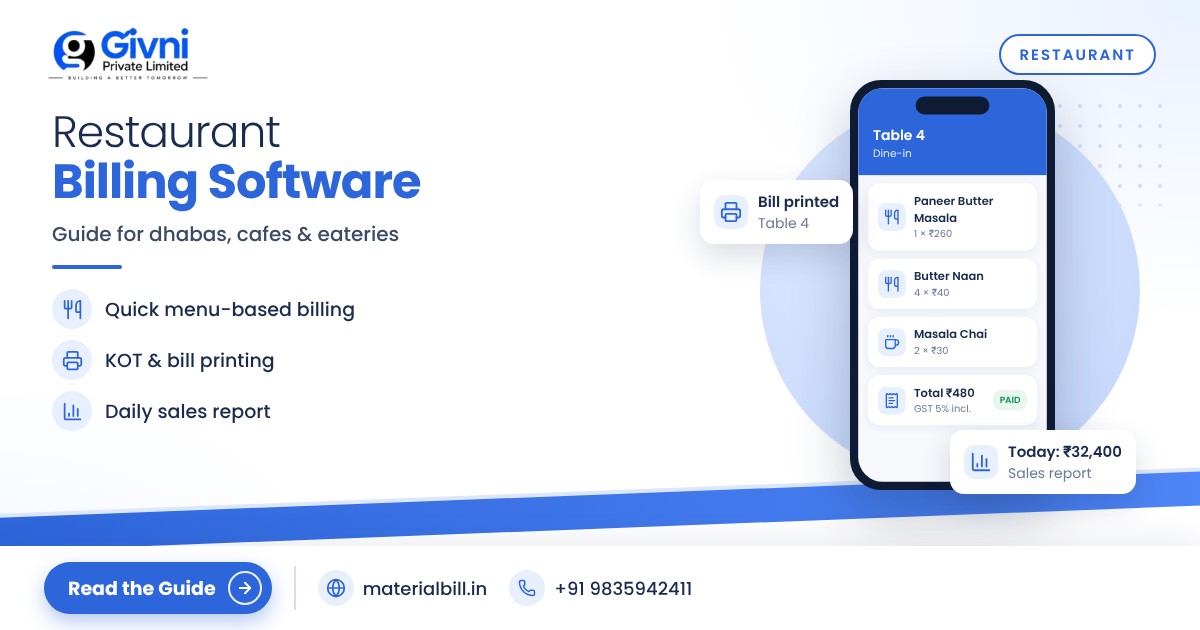
At its core, restaurant billing software replaces the handwritten bill book. You set up your menu once with prices and tax, and then each bill is built by tapping items instead of writing and totalling them. Good software also keeps a record of every sale, so you can see what sold, how much cash and UPI came in, and how much GST you collected.
For a small eatery the main benefits are simple:
- Speed. A bill takes seconds, which matters when customers are waiting at the counter.
- Accuracy. No more totalling mistakes or forgotten items.
- Control. Every sale is recorded, which reduces leakage at the counter.
- GST compliance. Tax is calculated the same way on every bill.
KOT basics: the link between table and kitchen
A KOT (Kitchen Order Ticket) is the slip that tells the kitchen what to prepare. A waiter takes the order, a KOT goes to the kitchen, and later the items on all KOTs for that table are added to the final bill. In larger restaurants this flow is handled by specialised restaurant POS systems with table management.
Many small dhabas, chai stalls, takeaway counters and cafes do not need a full KOT system. If customers order and pay at the counter, a fast counter bill printed on a thermal printer works well, and a copy of the printed bill or a handwritten slip can go to the kitchen. If you run a dine-in restaurant with many tables and waiters, consider whether you need dedicated KOT and table features before choosing software, and ask the vendor specifically about them.
GST on restaurant service in India
Restaurant service is taxed as a supply of service, and the rate depends mainly on where the restaurant operates. Based on the rules in force at the time of writing:
| Type of outlet | GST rate | Input tax credit |
|---|---|---|
| Standalone restaurant, dhaba, cafe (dine-in or takeaway) | 5% | Not available |
| Restaurant in a hotel where room tariff is ₹7,500 per day or less | 5% | Not available |
| Restaurant in a hotel with room tariff above ₹7,500 per day ("specified premises") | 18% | Available |
| Restaurant under the composition scheme | 5% of turnover (paid by owner, not charged to customer) | Not available |
A few points worth knowing:
- The 5% is split as 2.5% CGST and 2.5% SGST on a normal sale within your state.
- Orders placed through food delivery apps are generally handled differently: the e-commerce operator is responsible for collecting and paying GST on restaurant service supplied through its platform. Check with your CA how to record these sales in your books.
- A composition restaurant cannot charge GST on its bills. It issues a bill of supply instead and pays tax from its own pocket.
- Alcohol for human consumption is outside GST and is taxed by the state, which has its own rules.
GST rules for food and hospitality have been revised several times, including the changes that took effect in September 2025. Confirm your exact rate on gst.gov.in or with your CA, and you can look up item rates on this GST rates page.
What a restaurant bill should show
- Restaurant name, address and GSTIN.
- Bill number (unique and in sequence) and date.
- Items, quantity, rate and amount.
- Taxable value, CGST and SGST shown separately.
- Total payable, and payment mode if you track it.
- For composition restaurants: "Bill of Supply" and the composition declaration instead of tax lines.
Do not add GST on top of a price that already includes it. Decide whether your menu prices are inclusive or exclusive of GST, set the software accordingly, and keep the menu card consistent with it.
Why thermal printing makes sense
Most restaurants print bills on 2-inch or 3-inch thermal printers. They need no ink, print in a second or two, and the roll is cheap. A few tips:
- Choose a printer that your billing app supports (Bluetooth for phones, USB for PCs are common).
- Keep spare rolls; a printer out of paper on a Sunday evening is a real problem.
- Thermal prints fade over time, so keep your records digitally rather than relying on paper copies.
- Offer a WhatsApp copy of the bill to regular customers. It saves paper and they cannot lose it.
Daily sales reports every owner should check
The real value of billing software shows up at closing time. Make it a habit to look at these every night:
- Total sales for the day and how it compares with the same day last week.
- Cash vs UPI/card split, and whether the cash drawer matches.
- Item-wise sales, to spot what is selling and what is wasting space on the menu.
- GST collected, so the monthly return holds no surprises.
- Stock of key ingredients such as packaged items, cold drinks and dairy, so you reorder in time.
Step-by-step: moving your restaurant to digital billing
- Write down your full menu with prices and decide whether prices include GST.
- Confirm your GST category (regular or composition) and rate with your CA.
- Pick a billing app and add your menu items, or import them from an Excel sheet.
- Connect and test a thermal printer before the first busy shift.
- Run paper and digital billing together for two or three days, then switch fully.
- Check the daily report every night for the first month until it becomes routine.
How MaterialBill helps small restaurants and cafes
MaterialBill is a free, cloud-based GST billing software and Android app from Givni Private Limited, and restaurants are among the 70+ industries that use it. It is a general billing app, not a full restaurant POS, so it does not offer table management or KOT routing. Where it fits well is counter billing for small eateries, cafes, sweet shops and takeaway outlets:
- Fast GST bills with CGST/SGST calculated automatically, and bills of supply for composition restaurants.
- Printing on thermal printers, plus sharing by WhatsApp, SMS, email or PDF.
- Daily and monthly sales reports, profit margin and GST summary, exportable to Excel or CSV for your CA.
- Stock tracking with low-stock alerts for packaged items and supplies.
- Udhaar khata for regular customers or offices that settle monthly.
- Works on phone, tablet and PC through the browser, with cloud backup, offline mode, and Hindi and English.
You can read more on the features page. At the time of writing, the free plan includes 30 GST bills a month; a busy restaurant will need a paid plan, so check the pricing page for current limits.
FAQs
What is the GST rate for a small restaurant?
Standalone restaurants, dhabas and cafes generally charge 5% GST without input tax credit. Restaurants in hotels with room tariff above ₹7,500 per day generally charge 18% with input tax credit. Confirm your category with your CA.
Can a composition restaurant charge GST on its bill?
No. A composition dealer issues a bill of supply without GST and pays tax on its turnover at the composition rate from its own funds.
Do I need KOT software for my dhaba?
Not always. If customers order and pay at the counter, quick counter billing with a thermal printer is often enough. Dine-in restaurants with many tables and waiters usually benefit from a dedicated KOT system.
Which printer should I buy for restaurant billing?
A 2-inch or 3-inch thermal printer is the usual choice. Make sure it connects to your device (Bluetooth or USB) and is supported by your billing software before buying.
Can I bill from my phone?
Yes. Many billing apps, including MaterialBill's Android app, let you create and print bills from a phone, which is handy for small cafes and food stalls.
Conclusion
A small restaurant runs on thin margins, and every missed bill or wrong total eats into them. Fast, accurate billing, the right GST rate and a quick look at daily reports will give you far more control than a bill book ever could. Sign up for MaterialBill's free plan to try it with your menu, and call or WhatsApp +91 98359 42411 if you need help getting started.
