
A customer's accountant calls to say your bill cannot be used for input tax credit because your GSTIN is missing. Another bill gets questioned because two invoices carry the same number. Problems like these are common in small Indian businesses, and almost all of them come from one thing: not following the correct GST invoice format.
The good news is that the format is clearly laid down in Rule 46 of the CGST Rules, 2017. This article lists the mandatory fields of a GST tax invoice, shows a sample layout, points out the mistakes shopkeepers make most often, and explains how billing software can generate a correct invoice automatically. Treat it as a practical guide, not legal advice; for your specific situation, confirm with your CA or on gst.gov.in.
Tax invoice vs bill of supply
Before the format, check which document you should issue:
- Tax invoice: issued by a regular GST-registered business when it supplies taxable goods or services and charges GST.
- Bill of supply: issued by composition dealers, or for exempt supplies, where no GST is charged on the bill.
The rest of this article is about the tax invoice.
Mandatory fields in a GST invoice format (CGST Rule 46)
Rule 46 lists the particulars a tax invoice must contain. In plain language, they are:
- Supplier details: name, address and GSTIN of the seller.
- Invoice number: a consecutive serial number of up to 16 characters, unique for each financial year. It can use letters, numbers, hyphens (-) and slashes (/), for example INV/25-26/0142.
- Date of issue.
- Recipient details (registered buyer): name, address and GSTIN or UIN.
- Recipient details (unregistered buyer): if the taxable value is ₹50,000 or more, the buyer's name and address, delivery address, and state name and code. Below ₹50,000, these are needed only if the buyer asks for them.
- HSN code for goods or SAC code for services, with the number of digits as notified for your turnover.
- Description of goods or services.
- Quantity for goods, with unit or Unique Quantity Code (UQC) such as NOS, KGS or BAG.
- Total value of the supply.
- Taxable value, after any discount or abatement.
- Rate of tax: CGST, SGST/UTGST, IGST and cess as applicable.
- Amount of tax under each head.
- Place of supply with state name, for inter-state supplies.
- Delivery address, if different from the place of supply.
- Reverse charge: whether tax is payable on reverse charge basis.
- Signature or digital signature of the supplier or authorised person. This is not required for an electronic invoice issued under the Information Technology Act, 2000.
- QR code with IRN, only for businesses covered by e-invoicing.
On HSN digits: as currently notified, businesses with aggregate turnover up to ₹5 crore generally show at least 4 digits on B2B invoices, and those above ₹5 crore show 6 digits. On e-invoicing: it currently applies to businesses whose aggregate turnover has exceeded ₹5 crore in any financial year since 2017-18. Both are areas where rules have changed over time, so check the current position with your CA.
Rule 46 also allows a registered person to issue a single consolidated tax invoice at the end of each day for supplies to unregistered customers who do not ask for an invoice, subject to the conditions in the rule.
Sample GST invoice layout
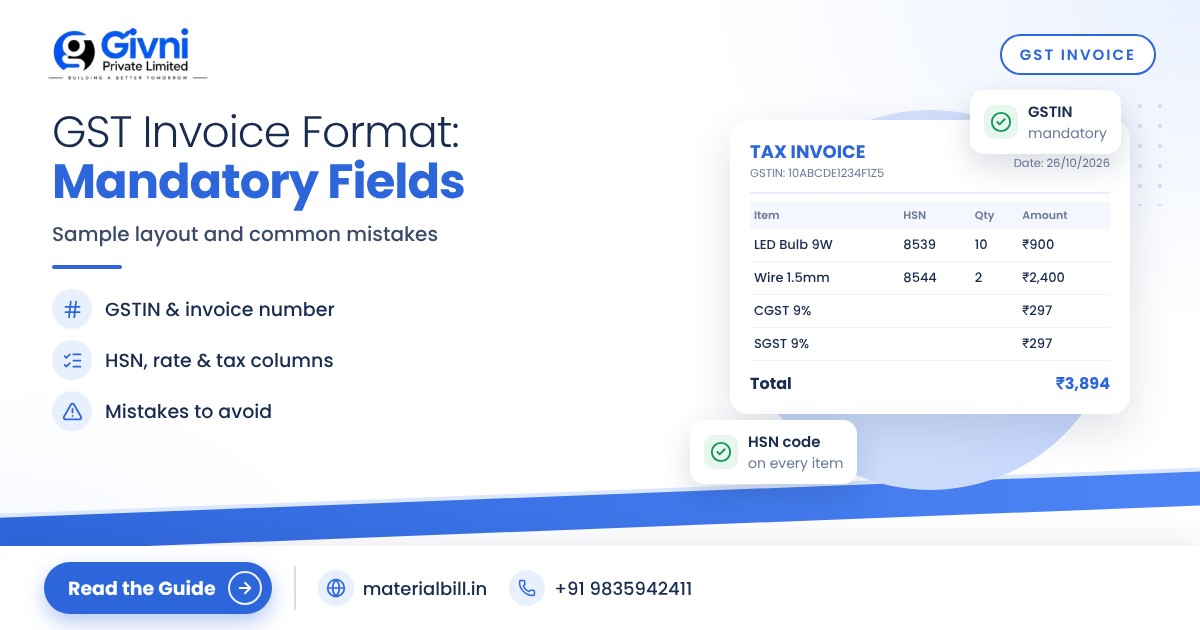
Here is how a typical intra-state B2B tax invoice from a hardware shop might be laid out. The figures are only an illustration of the format, not a statement of the rate on any product.
| Section | What it shows (example) |
|---|---|
| Header | "TAX INVOICE", supplier name, address, phone, GSTIN |
| Invoice details | Invoice No. HW/25-26/0142, Date 12-10-2025, Reverse charge: No |
| Bill to | Customer name, address, GSTIN, State and state code |
| Ship to | Delivery address, if different |
| Item table | S.No., Description, HSN, Qty, Unit, Rate, Discount, Taxable value |
| Tax columns | CGST rate and amount, SGST rate and amount (or IGST rate and amount for inter-state) |
| Totals | Total taxable value, total tax, round-off, invoice total in figures and words |
| Footer | Bank or UPI details, terms, signature of authorised signatory |
An item line would read like this: "PVC pipe 1 inch, HSN 3917, 20 NOS, rate ₹150, taxable value ₹3,000, CGST 9% ₹270, SGST 9% ₹270, total ₹3,540." For a sale to another state, the two 9% columns become one IGST 18% column of ₹540, and the place of supply must be shown.
For goods, invoices are generally prepared in triplicate: original for the recipient, duplicate for the transporter, and triplicate for the supplier. If you issue invoices electronically, your software keeps the supplier's copy for you.
Common mistakes in GST invoices
- Missing or wrong GSTIN: a typo in the buyer's GSTIN can stop them from claiming input tax credit. Verify it before saving the bill.
- Wrong tax type: charging CGST and SGST on an inter-state sale, or IGST on a local sale.
- Breaks or repeats in numbering: invoice numbers must be consecutive and unique within the financial year. Using two bill books with overlapping numbers is a common cause of trouble.
- Not starting a new series each financial year: since numbers must be unique for the year, most businesses start a fresh series on 1 April.
- Missing HSN codes or using fewer digits than required.
- No place of supply on inter-state invoices.
- Discount shown after tax: taxable value should be after an allowed discount; mixing this up gives the wrong tax.
- Rounding errors when totals are calculated by hand.
- Old GST rates: rates are revised from time to time, and printed rate charts go out of date. Check current rates before billing.
How to generate a correct GST invoice automatically
Most of the mistakes above happen during manual billing. Billing software removes them by design:
- Set up your business once: name, address, GSTIN and state.
- Set up products once: HSN code, unit, GST rate and price.
- Set up customers once: name, GSTIN and state for B2B buyers.
- Create the bill: pick the customer and items. The software chooses CGST/SGST or IGST from the customer's state, calculates taxable value and tax, and assigns the next invoice number.
- Share or print: send a PDF on WhatsApp or email, or print it.
- Use the reports: the same data feeds your GSTR-1 and HSN summary, so what is on the invoice matches what you report.
Creating GST invoices with MaterialBill
MaterialBill is a cloud-based GST billing software and Android app from Givni Private Limited. Once your business, products and customers are set up, it creates GST invoices with CGST, SGST and IGST calculated automatically, and a bill of supply if you are a composition dealer. Bills can be shared on WhatsApp, SMS, email or as a PDF, or printed on a thermal printer.
For return filing, it offers GSTR-1 JSON download for the GST portal, along with an HSN summary and GST summary for your CA. Data is backed up to the cloud and syncs across phone, tablet and PC. You can see the full list on the features page. At the time of writing, the free plan includes 30 GST bills a month with no credit card required.
FAQs
Is a handwritten GST invoice valid?
Yes, if it contains all the particulars required under Rule 46. The law prescribes the content, not the medium. Software just makes it easier to get every field right.
How long can a GST invoice number be?
Up to 16 characters, using letters, numbers, hyphens and slashes. It must be consecutive and unique for the financial year.
Is a signature required on a GST invoice?
A paper invoice needs the signature of the supplier or authorised representative. An electronic invoice issued under the Information Technology Act, 2000 does not need a physical signature.
Do I need the customer's details on a B2C invoice?
For unregistered customers, name, address and state details are required when the taxable value is ₹50,000 or more. Below that, they are needed only if the customer asks.
Do small shops need e-invoicing?
Currently, e-invoicing applies to businesses whose aggregate turnover has exceeded ₹5 crore in any financial year since 2017-18. Most small shops are below this, but confirm the current limit with your CA.
Conclusion
The GST invoice format is not complicated once you know the fields, but one missing GSTIN or repeated invoice number can cause real problems for you and your customers. Using software that fills in the right fields every time is the simplest fix. Try MaterialBill's free plan to create your first GST invoice, or call or WhatsApp +91 98359 42411 if you need help setting up.
