
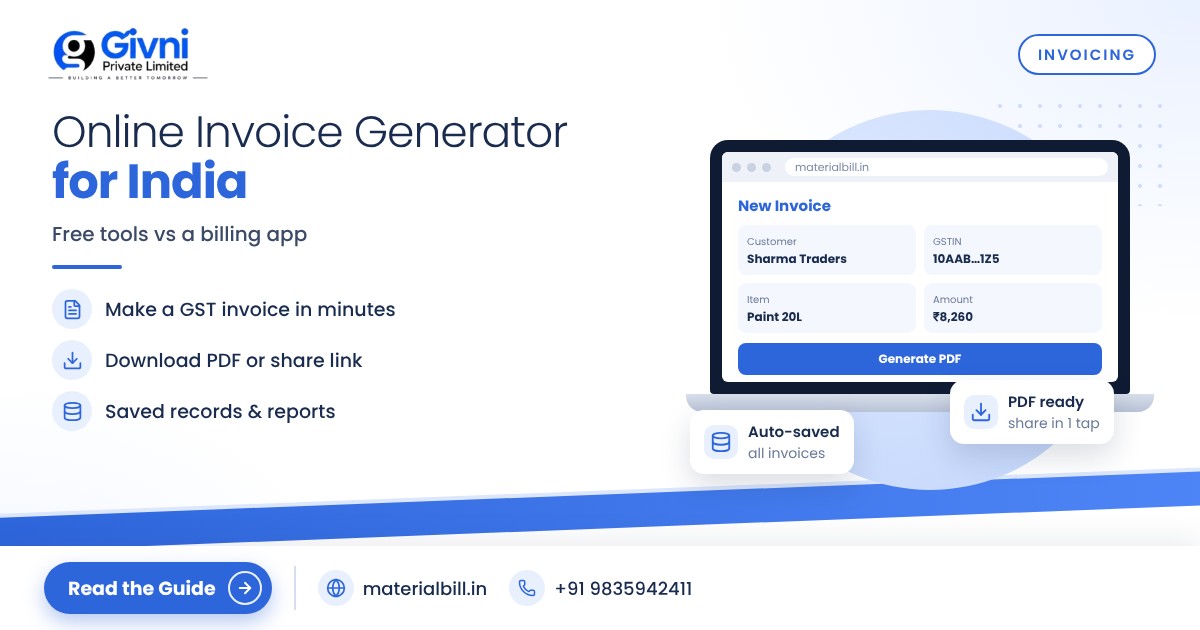
Say a contractor calls and wants a proper invoice for the material he picked up yesterday, or a freelance client asks for a GST bill before releasing payment. If you do not have billing software, the first thing you probably do is search for an invoice generator: a website where you type in details and download a PDF bill in a couple of minutes.
Free online invoice generators are genuinely handy for occasional bills. But if you are running a shop or trading business in India and billing every day, they have limits that show up quickly. This guide explains how an online invoice generator works, how it compares with a billing app, and walks you step by step through making an invoice that meets Indian GST requirements.
What is an online invoice generator?
An online invoice generator is a simple web tool with an invoice template. You fill in your details, the customer's details and the items, and it produces a formatted invoice you can download as a PDF or print. Most do not require sign-up, and many are free.
They work well when:
- you bill only a few times a month;
- you are a freelancer or consultant with a handful of clients;
- you need a one-off invoice in a hurry;
- you are not yet registered for GST and just need a clean, professional bill.
Where free invoice generators fall short for Indian businesses
Many free generators are built for a global audience. For a GST-registered shop in India, check these points carefully:
- GST structure: not every template supports the CGST/SGST or IGST split, HSN codes, place of supply or the reverse charge field.
- Invoice numbering: GST invoices need consecutive, unique numbers for each financial year. If the tool does not save your previous invoices, you have to track numbering yourself.
- No records: many generators do not store your invoices. At month-end you have to collect PDFs from your downloads folder to give to your CA.
- Retyping everything: customer names, GSTINs and product rates must be entered again for every bill.
- No GST reports: there is usually no GSTR-1 export, HSN summary or sales register.
- No udhaar or stock: the generator does not know who has paid or how much stock is left.
- Data privacy: you are entering customer and business details into a website; check who runs it and what they do with the data.
Invoice generator vs billing app: a comparison
| Feature | Free online invoice generator | Billing app / software |
|---|---|---|
| Best for | Occasional, one-off invoices | Daily billing in a shop or business |
| Saved customers and products | Usually not | Yes, enter once and reuse |
| Invoice numbering | Often manual | Automatic and sequential |
| GST calculation | Varies by tool | CGST/SGST/IGST worked out from customer state |
| Sharing | Download PDF | PDF, WhatsApp, SMS, email, print |
| Reports for CA | Rarely | GST summary, HSN summary, sales reports |
| Udhaar and stock | No | Yes, in most shop-focused apps |
| Backup | Your own downloads | Cloud backup |
A simple rule: if you make more than a few invoices a week, or if you are GST-registered, a billing app that remembers your data will save time and reduce mistakes compared with any one-off generator.
How to make an invoice: step by step
Whether you use an online generator or a billing app, a correct Indian invoice needs the same information. Here is the process.
- Enter your business details. Business name, address, phone, and GSTIN if registered. Add your logo if the tool allows it.
- Give the document the right title. "Tax Invoice" if you are a regular GST dealer charging GST; "Bill of Supply" if you are a composition dealer or the supply is exempt; a simple "Invoice" or "Bill" if you are not registered.
- Set the invoice number and date. Use a consecutive series, unique for the financial year, up to 16 characters (for example 2526/0087).
- Add customer details. Name, address and state. For a registered business customer, their GSTIN is essential so they can claim input tax credit.
- Add items. For each line: description, HSN or SAC code, quantity, unit, rate, and any discount.
- Apply GST correctly. For a buyer in your own state, split the rate into CGST and SGST. For a buyer in another state, charge IGST and mention the place of supply.
- Check totals. Taxable value, tax amount under each head, round-off and grand total, in figures and words.
- Add payment details and terms. Bank account or UPI ID, due date if it is a credit sale, and any return or warranty terms.
- Sign and share. Sign a printed copy, or share the electronic invoice as a PDF on WhatsApp or email.
- Keep a copy. Save your copy safely; you will need it for GST returns and your own accounts.
If you use an online generator, steps 9 and 10 are where most people slip: the PDF stays in a phone's download folder and is hard to find later. A billing app does step 10 automatically.
Tips for a professional-looking invoice
- Keep the layout clean, with your business name clearly at the top.
- Use the same item names every time, so reports make sense.
- Mention payment terms clearly to reduce disputes on udhaar sales.
- Verify the customer's GSTIN before sending a B2B invoice.
- Do not edit an issued invoice to change the amount; issue a credit or debit note instead, as your CA advises.
Moving from an invoice generator to MaterialBill
If you have been using an online invoice generator and are now billing regularly, the MaterialBill billing app is a practical next step. It is a cloud-based GST billing software and Android app made by Givni Private Limited, and its free billing software plan at the time of writing includes 30 GST bills a month, udhaar khata and party management, with no credit card needed.
Compared with a one-off generator, you get:
- saved customers and products, with import from Excel or CSV;
- GST invoices with CGST, SGST and IGST calculated automatically, or bill of supply for composition dealers;
- sharing on WhatsApp, SMS, email or PDF, and thermal printer printing;
- every invoice stored with cloud backup and synced across phone, tablet and PC;
- GSTR-1 JSON download, HSN and GST summaries, and sales reports exportable to Excel or CSV;
- udhaar tracking with payment reminders, and stock tracking with low-stock alerts.
It is used across 70+ industries; you can check yours on the industries page.
FAQs
Are free online invoice generators legal for GST?
The tool itself does not matter; the invoice does. If the generated invoice contains all particulars required under GST rules, such as GSTIN, consecutive invoice number, HSN, taxable value and tax amounts, it can be used. Many generic templates miss some of these, so check carefully.
Can I make a GST invoice without software?
Yes. You can use a printed bill book, Excel or an online generator, as long as all mandatory fields are present and numbering is consecutive. Software mainly saves time and prevents errors.
What is the difference between an invoice generator and billing software?
An invoice generator creates one invoice at a time. Billing software stores customers, products and every invoice, calculates GST automatically, and produces reports for returns.
Can I generate invoices on my phone?
Yes. Many online generators work in a mobile browser, and Android billing apps let you create, save and share invoices on WhatsApp directly from the phone.
How should I number my invoices?
Use one consecutive series, unique within each financial year, up to 16 characters. Many businesses include the year, for example INV/26-27/0001, and start a new series every April.
Conclusion
An online invoice generator is fine for the occasional bill. Once billing becomes a daily job, a billing app that remembers your customers, calculates GST correctly and keeps every invoice safe is the better tool. Start MaterialBill for free and make your first invoice in minutes. For help, call or WhatsApp +91 98359 42411 or email support@materialbill.in.
