
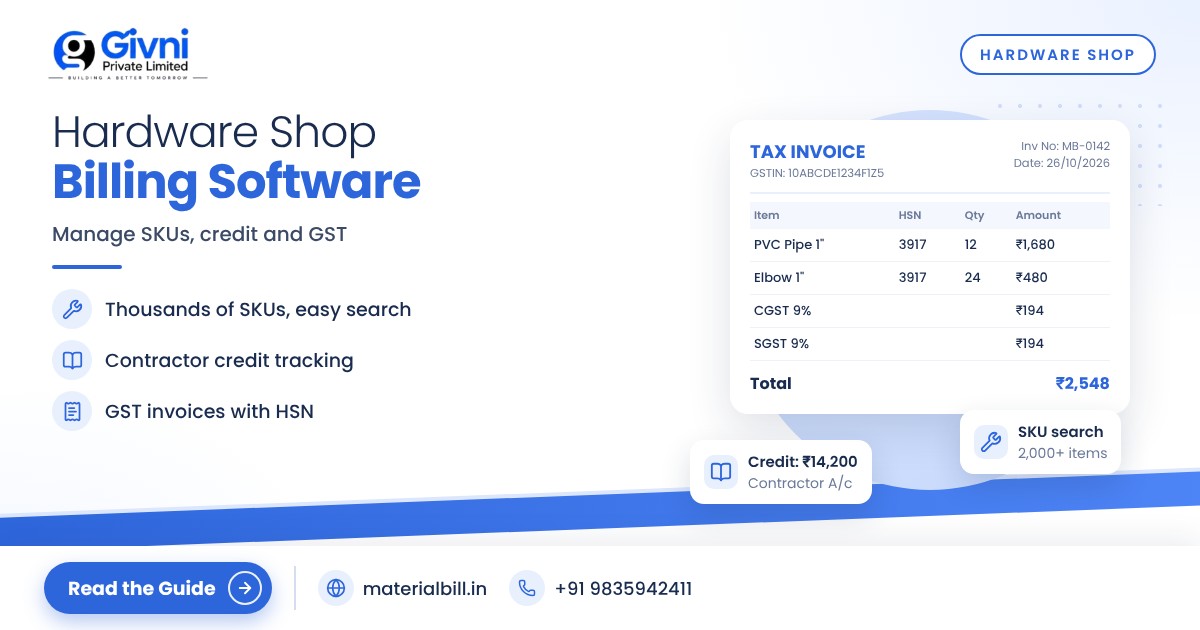
A hardware shop looks simple from outside, but anyone who runs one knows the reality. Thousands of small items: screws in ten sizes, hinges in five finishes, PVC fittings, taps, wires, tools, paint shades, adhesives. Some sell by the piece, some by the box, some by the metre or kg. Plumbers and contractors take material on credit and settle later. Customers ask for a quotation before they buy for a new house. Keeping track of all this with a diary and memory is how money quietly leaks away. Hardware shop billing software gives you control over items, units, credit and records without slowing down the counter.
This guide is for hardware, sanitary, electrical and paint shop owners. It covers managing many SKUs, handling different units, credit customers, quotations and GST, with a step-by-step setup checklist.
What hardware shop billing software must handle
Compared with most retail shops, hardware and sanitary businesses have a few special challenges:
- A very large number of SKUs. The same product comes in many sizes, grades and brands.
- Mixed units. Pieces, boxes, dozens, metres, feet, kg and litres all appear on the same bill.
- Contractor and plumber credit. A large share of sales can be on udhaar, settled when the job finishes.
- Quotations and estimates. Home owners and builders often want a written estimate first.
- Price changes. Rates of metal items, pipes and cables move with the market, so price lists need regular updates.
- GST on most items. Nearly everything you sell is taxable, so correct GST on every bill matters for your returns.
Managing many SKUs without confusion
The single most useful thing you can do is build a clean item master. A good naming pattern makes search fast and prevents duplicates.
Use a consistent naming pattern
For example: Category – Brand – Size – Variant. "PVC Elbow – BrandX – 1 inch – 90°" is easy to find by typing "elbow 1". Avoid creating the same item twice with different spellings.
Group by category
Plumbing, sanitary, electrical, paint, tools, fasteners, adhesives. Categories make stock reports and reordering much easier.
Use barcodes where available
Branded tools, paint tins, adhesives and many electrical items carry barcodes. Scanning saves time and avoids picking the wrong size. Loose items like screws and fittings can be searched by name or short code.
Import instead of typing
Prepare your item list in Excel with name, unit, purchase price, sale price, HSN code and GST rate, then import it. Many distributors share price lists in Excel, which can be a useful starting point.
Handling units correctly
Units are where hardware stock records usually go wrong. A few rules help:
- Bill in the unit you actually sell. If you buy screws by the box of 100 but sell by the piece, keep stock in pieces.
- Be consistent with length. Choose metre or foot for wire and pipes and stick to it.
- Allow decimals for items like wire (12.5 metres) or loose nails sold by weight.
- Write the unit on the bill so the customer knows exactly what was supplied.
Credit customers: plumbers, electricians and contractors
Credit is how hardware shops build loyal trade customers, but it needs tight tracking.
- Create a separate party for each contractor with name and mobile number.
- Bill every credit sale so there is a record of what was taken, even if it is "just a few fittings".
- Note the site or job name in the bill if a contractor works on many sites. It helps when they settle with their own client.
- Record part payments immediately.
- Send a statement or reminder every fortnight or month on WhatsApp with the outstanding balance.
- Review overdue balances weekly and pause further credit when a limit is crossed.
Quotations and estimates
Many customers, especially those building or renovating a home, ask for an estimate before buying sanitary fittings, tiles accessories, paint or electrical material. A good quotation lists each item, quantity, unit, rate, GST and total, along with how long the rates are valid. Mentioning the validity period is important in hardware because prices can change within weeks.
Whatever tool you use to prepare quotes, keep a copy, and when the customer confirms, convert the same items into a bill so nothing is missed or re-priced by mistake. If quotation creation is important to your shop, check whether your billing software supports it in the way you work before switching.
GST for hardware, sanitary and paint shops
Most hardware, sanitary, electrical and paint items are taxable under GST. The GST rate structure was rationalised from 22 September 2025, after which most goods fall under the 5% or 18% slab, with a higher rate for a small set of items. For example, the official announcement moved cement from 28% to 18%. Rates for individual items depend on their HSN code, so:
- Set the HSN code and rate for each item in your software.
- Update affected items whenever rates change.
- Use the correct tax type: CGST and SGST for sales within your state, IGST for inter-state sales.
- If you are a composition dealer, issue a bill of supply and do not charge GST.
Confirm current rates and rules with your CA or on gst.gov.in. The GST rates page on MaterialBill is a handy reference.
Setup checklist for a hardware shop
- Build your item master in Excel with a consistent naming pattern, categories and units.
- Add HSN codes and confirmed GST rates.
- Import the item list into your billing software.
- Count and enter opening stock, starting with high-value and fast-moving items.
- Set low-stock levels for items you must never run out of, such as common pipe sizes, cables and fittings.
- Add contractors and regular credit customers with opening balances.
- Link barcodes for branded products as they come up for billing.
- Give staff billing access only; keep price changes with the owner.
- Check daily sales and monthly profit margin reports to find your best and weakest categories.
How MaterialBill helps hardware shops
MaterialBill billing app is a free, cloud-based GST billing software and Android app made by Givni Private Limited, used by hardware, building material and other businesses across more than 70 industries. The hardware shop billing software page explains its use for this trade.
- GST invoices with CGST/SGST/IGST auto-calculated; bill of supply for composition dealers.
- Import products from Excel/CSV, barcode billing, and thermal printer printing.
- Real-time stock, low-stock alerts and stock history.
- Dues tracking and udhaar khata for contractors, with WhatsApp/SMS payment reminders.
- Bills shared on WhatsApp, SMS, email or as PDF.
- Sales, profit margin, GST summary and stock summary reports, exportable to Excel/CSV; GSTR-1 JSON and HSN summary for your CA.
- Staff logins on paid plans, cloud backup, multi-device sync, offline mode, Hindi and English.
At the time of writing, the free plan includes 30 GST bills a month, udhaar khata and party management. Paid plans add more invoices and staff logins, and the Premium plan lists stock management. See MaterialBill plans and pricing for details.
FAQs
Can billing software handle thousands of hardware items?
Yes, if you set up a clean item list. Import from Excel and use consistent names so search stays fast even with a large catalogue.
How do I bill items sold in different units?
Set the selling unit for each item (piece, metre, kg, box) and allow decimals where needed. Keep stock in the same unit you sell in.
How should I track contractor credit?
Create a party for each contractor, bill every credit sale, record payments the same day and send regular WhatsApp reminders with the balance.
Do I need different software for a paint or sanitary shop?
Usually not. The needs are similar: many SKUs, GST, stock and credit. Set up categories and units to match your products.
Can my staff bill while I check reports from home?
With cloud software and multi-device sync, staff can bill at the counter while you check sales and stock from your phone, depending on the plan's staff logins.
Conclusion
Hardware shops earn on volume, variety and trust with trade customers. Hardware shop billing software keeps that variety organised, makes credit visible and gives you correct GST bills without slowing the counter. Spend time on a clean item master first; everything else becomes easier after that.
Try MaterialBill's free plan today, or call or WhatsApp +91 98359 42411 (support@materialbill.in) for help importing your item list.
