
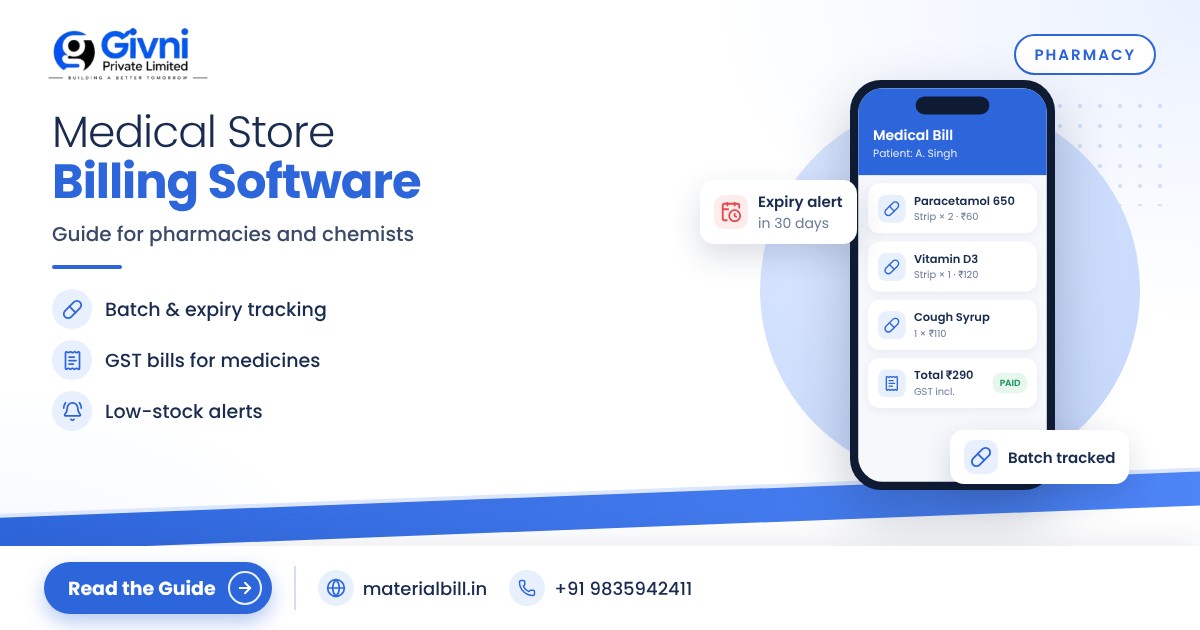
Running a chemist shop in India means juggling more than most retailers. You handle thousands of products with similar names, strict rules on what can be sold and how, short shelf lives, distributor schemes, and customers who need their medicine now, not tomorrow. Many pharmacies still manage this with handwritten bills, a stock register and a memory for which strip expires when. Medical store billing software brings billing, stock and records together so the counter runs faster and fewer mistakes slip through.
This guide explains what a pharmacy needs from billing software, why batch and expiry tracking matters, how GST works for medicines in general terms, and how to keep cleaner records. It finishes with a setup checklist.
Why a medical store needs billing software
A pharmacy counter has very little room for error. A wrong price can annoy a regular customer, a missed expiry can mean a loss or worse, and a shortage of a common medicine sends the customer to the shop next door. Software helps with:
- Speed at the counter, especially when the queue builds in the evening.
- Accurate GST on every bill, with the right rate for each item.
- Stock visibility, so you reorder before running out.
- Records you can find again when a customer, distributor or inspector asks.
Batch and expiry tracking: why it matters
Medicines come in batches, and each batch has its own expiry date. Two strips of the same tablet on your shelf may expire months apart. Pharmacies generally need to:
- Sell the earliest-expiring stock first (often called FEFO, first-expiry-first-out).
- Spot near-expiry stock early, so it can be returned to the distributor or sold before it lapses, according to your agreement with the supplier.
- Know which batch was sold in case a recall or customer complaint comes up.
Some pharmacies track this inside their billing software, others use a separate expiry register or a simple monthly shelf check. Whichever method you use, the habit matters more than the tool: check near-expiry items every month and keep a record of returns. When you evaluate any software, ask the vendor directly how it handles batch numbers and expiry dates for your workflow, and test it with a few real products before switching fully.
GST on medicines: the general picture
GST rates for medicines and medical products depend on the item and its HSN classification. Some general points to keep in mind:
- Rates were rationalised from 22 September 2025. According to the official press release after the 56th GST Council meeting, most medicines and drugs moved to 5%, a list of life-saving drugs was made nil-rated, and many medical devices and supplies such as bandages, diagnostic kits and glucometers were brought to 5%.
- Cosmetics, personal care and general items that many chemists also sell may carry different rates from medicines.
- HSN codes must be set correctly for each item so the right rate applies.
- Composition dealers cannot charge GST on their bills and issue a bill of supply. Check eligibility and the current limits with your CA.
Because rates can change and classification is sometimes tricky, confirm the rate for each product with your CA or on gst.gov.in before you set it in your software. You can use the MaterialBill GST rates page as a quick reference, but treat the official notifications as final.
Record keeping in a prescription-driven business
Pharmacies operate under drug-licence conditions and rules on prescription medicines. The exact record-keeping requirements depend on the category of drug and on current rules, and some categories need a separate register with details such as the prescribing doctor, patient and quantity sold. Your drug licence conditions, your state drug control department and your pharmacist-in-charge are the right sources for what you must record.
What software helps with is the general discipline around this:
- Every sale is billed and dated, so you have a clear sales trail.
- Customer details can be saved for regular patients, which also helps with repeat orders.
- Stock history shows when an item came in and went out.
- Cloud backup protects records that would otherwise sit in a file that can be damaged or lost.
Keep any separate statutory registers that apply to you, even if your billing software stores sales data.
Features to look for in medical store billing software
| Feature | Why it matters in a medical store |
|---|---|
| Quick search by name | Many medicines have similar names; fast search avoids wrong picks |
| Barcode billing | Speeds up billing for packaged items and OTC products |
| GST invoice with HSN | Correct tax on every bill and clean data for returns |
| Real-time stock and low-stock alerts | Prevents running out of regularly prescribed medicines |
| Stock history | Helps trace when an item came in and was sold |
| Customer dues tracking | Useful for regular patients, nursing homes and clinics on credit |
| Reports and export | Daily sales, GST summary and stock summary for you and your CA |
| Backup and multi-device access | Records are safe and accessible from counter PC or phone |
Setup checklist for a medical store
- Clean your product list. Use one consistent name per product, including strength and pack size (for example "Paracetamol 500 mg 10 tab").
- Add HSN codes and GST rates after confirming them with your CA.
- Import products from Excel or CSV instead of manual typing.
- Enter opening stock after a physical count. Start with fast-moving items if a full count is not possible in one day.
- Set low-stock levels for chronic-care medicines that regular patients buy every month.
- Decide your expiry process: a monthly shelf check, a near-expiry list, and a returns record with each distributor.
- Add regular customers and credit parties such as clinics or nursing homes, with opening balances.
- Train staff on billing and search. Keep pricing and stock edits limited to the owner or pharmacist.
- Review GST and stock reports monthly and share them with your CA.
How MaterialBill helps medical stores
The MaterialBill GST billing app is a free, cloud-based billing software and Android app from Givni Private Limited, used by medical stores among more than 70 industries. Here is what it offers that is relevant to a pharmacy:
- GST invoices with CGST/SGST/IGST auto-calculated, and bill of supply for composition dealers.
- Barcode billing, thermal printer printing, and sharing bills on WhatsApp, SMS, email or PDF.
- Real-time stock, low-stock alerts and stock history.
- Dues tracking and udhaar khata with WhatsApp/SMS payment reminders.
- GSTR-1 JSON download, HSN summary and GST summary for your CA.
- Daily/monthly sales, profit margin and stock summary reports with Excel/CSV export; product import from Excel/CSV.
- Cloud backup, multi-device sync, offline mode, Hindi and English.
For batch-wise and expiry-specific workflows, speak to the MaterialBill team about your exact process before switching. The medical store billing software page has more details, and plans are listed on the pricing page. At the time of writing, the free plan includes 30 GST bills a month with no credit card required.
FAQs
What is the GST rate on medicines?
After the rate changes effective 22 September 2025, most medicines moved to 5% and certain life-saving drugs became nil-rated, as per the official announcement. Confirm the rate for each product using its HSN code with your CA.
Can billing software replace my statutory registers?
Not necessarily. Some drug categories need specific registers under the rules. Billing software gives you a clean sales record, but check with your drug control authority what format of record is required.
How do I manage expiry without dedicated software?
Do a monthly shelf check, list items expiring in the next two to three months, push them to the front, and return eligible stock to distributors on time.
Can I bill from a phone in my pharmacy?
Yes. Many small medical stores use an Android phone with a Bluetooth thermal printer, and open the same account on a PC browser when needed.
Can I give credit to clinics and track it?
Yes. Add the clinic as a party, bill on credit and track dues. Send payment reminders on WhatsApp or SMS when the balance is due.
Conclusion
A medical store runs on accuracy and trust. Medical store billing software helps by making bills correct, stock visible and records safe, while you keep the professional judgement that patients rely on. Set up your products carefully, confirm GST rates with your CA, and build a monthly expiry routine.
Start with MaterialBill's free plan, or call or WhatsApp +91 98359 42411 (support@materialbill.in) to discuss your pharmacy's setup.
