
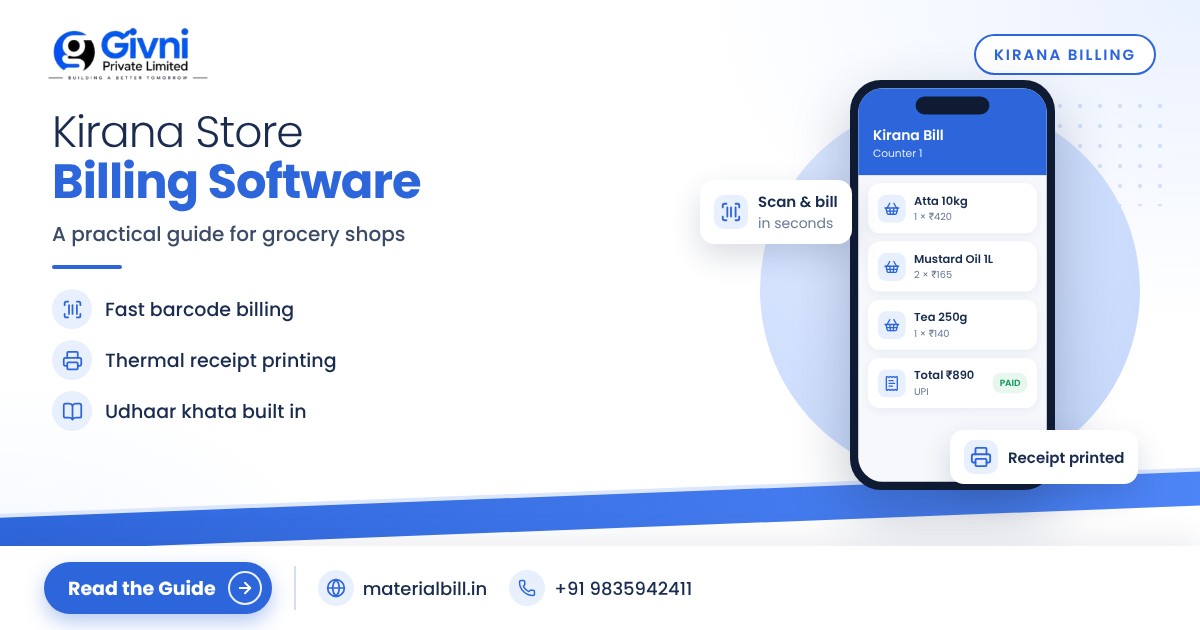
A kirana counter at 7 pm is one of the busiest places in India. Five customers are waiting, one wants 2 kg atta and half a kg of sugar, another is buying a packet of biscuits and a bar of soap, someone is asking for "the same oil as last time", and the phone keeps ringing with home delivery orders. Writing bills by hand or adding on a calculator at this speed leads to mistakes, long queues and lost sales. Kirana store billing software solves this by making each bill a matter of seconds, while keeping track of stock, udhaar and GST in the background.
This guide covers what a grocery shop really needs from billing software: fast counter billing, handling loose items sold by weight, GST on food items, stock tracking and credit customers. It ends with a checklist to help you get started.
Why kirana stores need billing software now
Customers today expect a printed or WhatsApp bill, UPI payments and quick service. Big supermarkets and quick-commerce apps have raised that expectation. A neighbourhood kirana still wins on trust, credit and convenience, but it needs to be just as fast and accurate at the counter.
Billing software helps in four ways:
- Speed. Barcode scans or quick search replace manual writing and adding.
- Accuracy. Prices and tax are calculated by the software, not by a tired helper at closing time.
- Stock control. Every bill reduces stock, so you know what to reorder.
- Credit control. Udhaar is linked to the customer, with reminders when due.
Features to look for in kirana store billing software
Fast counter billing
The billing screen should let you add items by scanning a barcode, typing a few letters of the name, or picking from favourites. Quantity and price should be easy to change. Saving the bill and printing or sharing it should take one or two taps. If billing takes longer than a calculator, your staff will stop using it during rush hours.
Loose items sold by weight
Rice, dal, sugar, atta, spices and dry fruits are often sold loose. Your software should let you set the unit as kg, grams or litres and enter fractional quantities like 0.5 kg or 250 g. The price per kg stays fixed and the bill amount is calculated automatically.
A practical tip: create short codes for your top loose items (for example "SUG" for sugar, "TDAL" for toor dal) so staff can add them in a second.
Barcode billing for packaged goods
Most packaged FMCG products carry a barcode. Once you link the barcode to the product, billing becomes a single scan. This is the biggest time saver in a kirana with hundreds of branded items.
Thermal printer and WhatsApp bills
Small thermal receipt printers are common at kirana counters. Many customers, especially for home delivery, are happy with a bill on WhatsApp instead. Good software supports both.
Stock and low-stock alerts
A kirana carries a large number of small-value items. It is easy to run out of a fast seller without noticing. Low-stock alerts tell you when an item drops below the level you set, so your next order to the distributor is complete.
Udhaar khata
Credit to regular customers is part of every kirana. The software should let you mark a bill as credit, keep a running balance for each customer and send reminders on WhatsApp or SMS.
GST on food items: what a kirana owner should know
GST on groceries is one of the most confusing areas for small shop owners, because rates depend on the item, whether it is packaged and labelled, and sometimes on the form in which it is sold. A few general points:
- Many basic unprocessed food items are exempt when sold loose, such as fresh vegetables and fruits. Some staples like rice, atta and dal attract GST when they are pre-packaged and labelled, while the same items sold loose are generally exempt.
- The GST rate structure was rationalised from 22 September 2025. Following the 56th GST Council meeting, most goods now fall under a 5% or 18% rate, with a few items at nil and a higher rate for a small set of goods. Many packaged food items such as biscuits, namkeen, butter, ghee and some packaged foods were moved to 5%, and items like UHT milk and pre-packaged paneer were made nil-rated, according to the official press release.
- HSN codes matter. The correct rate depends on the HSN classification of each product, so set HSN codes properly in your item list.
- Composition dealers pay tax at a fixed rate on turnover and cannot charge GST on their bills. They issue a bill of supply instead of a tax invoice. Check the current turnover limit and conditions on gst.gov.in or with your CA.
Rates can change after GST Council meetings, so always confirm the current rate for each item on the GST portal or with your CA before setting it in your software. MaterialBill also has a GST rates reference you can use as a starting point.
Checklist: setting up billing software in your kirana
- List your products in Excel. Item name, unit (pcs, kg, g, litre, packet), purchase price, MRP or sale price, GST rate and HSN code.
- Import the list instead of typing items one by one.
- Do an opening stock count for at least your top 100 items and enter the quantities.
- Link barcodes for packaged goods as you bill them over the first couple of weeks.
- Create short codes for loose items sold daily.
- Set low-stock levels for fast movers such as oil, sugar, atta, milk products and popular snacks.
- Add your credit customers with their mobile numbers and opening udhaar balances.
- Connect a thermal printer if you want printed receipts, and test a few bills.
- Train your counter staff on billing only. Keep price and stock edits with yourself.
- Check the daily sales report every evening for the first month to catch any setup mistakes.
Common mistakes kirana owners make
- Not billing small sales. If a ₹20 packet goes out without a bill, stock numbers drift. Bill everything.
- Wrong units. Buying in cartons and selling in pieces needs careful setup, or stock will look wrong.
- Old GST rates. After a rate change, update affected items immediately.
- Too many duplicate items. "Sugar", "sugar loose" and "chini" as three items will split your stock. Keep one name per product.
How MaterialBill helps kirana stores
MaterialBill is a free, cloud-based GST billing software and Android billing app from Givni Private Limited, used across many industries including kirana and grocery. Its kirana billing software page explains the setup for grocery shops.
- GST invoices with CGST/SGST/IGST calculated automatically, and bill of supply for composition dealers.
- Barcode billing, thermal printer printing, and sharing on WhatsApp, SMS, email or PDF.
- Real-time stock with low-stock alerts and stock history.
- Udhaar khata with payment reminders on WhatsApp and SMS.
- Import products from Excel/CSV, and daily or monthly sales, profit margin and stock summary reports.
- GSTR-1 JSON download plus HSN and GST summaries for your CA.
- Works on phone, tablet and PC browser with cloud backup, offline mode, and Hindi and English.
At the time of writing, the free plan includes 30 GST bills a month, udhaar khata and party management. Busy kiranas billing many times a day will likely need a paid plan, so look at the MaterialBill pricing to find the right fit.
FAQs
Can I use kirana billing software on my mobile?
Yes. Many kirana owners bill directly from an Android phone and connect a Bluetooth thermal printer. You can also open the same account on a PC browser at the counter.
How do I bill loose items like rice or dal?
Set the item unit as kg and the price per kg. At billing, enter the weight such as 1.5 or 0.25 and the software calculates the amount.
Do I need GST registration to use billing software?
No. You can use billing software for non-GST bills too. If you are registered, the software will add GST to your invoices. Ask your CA whether you need registration based on your turnover.
What happens if the internet stops working?
Software with offline mode lets you continue billing and syncs data when the connection returns. Check this before you choose an app.
Is free kirana billing software enough?
For a small shop with few GST bills, a free plan can be enough. Busy shops usually outgrow monthly bill limits and should compare paid plans.
Conclusion
Your kirana's strength is the relationship with your customers. Billing software protects that by making the counter faster, the bills accurate and the udhaar under control. Start small with your top items, keep every sale billed, and check reports every evening for the first month.
Try MaterialBill's free plan today, or call or WhatsApp +91 98359 42411 (email support@materialbill.in) for help setting up your kirana.
