
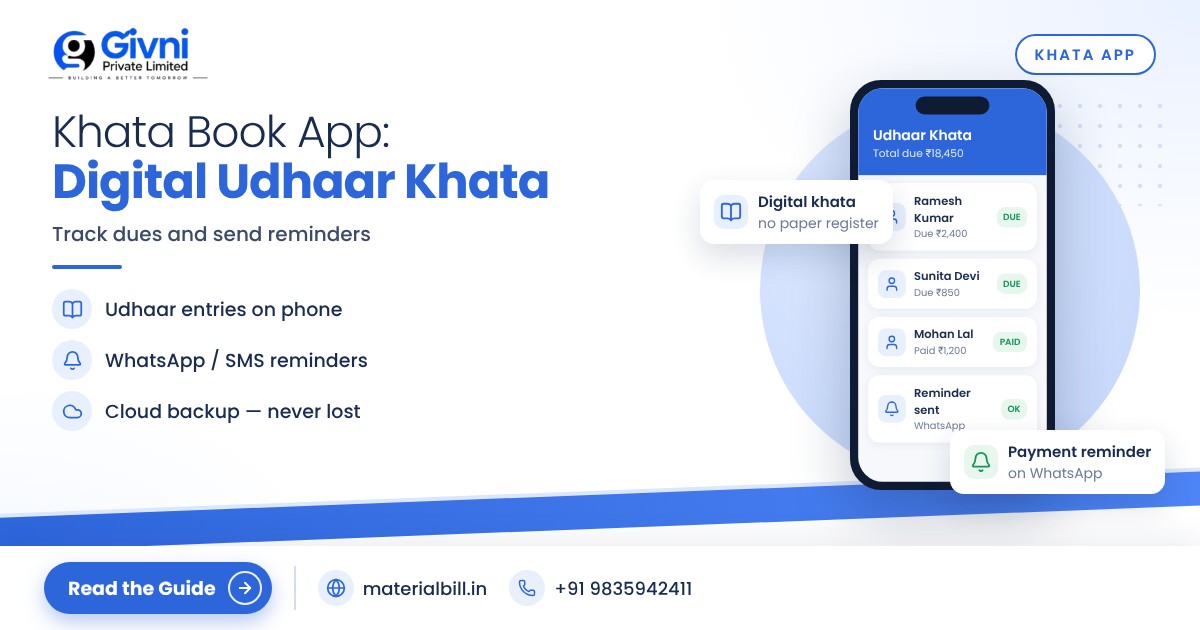
Almost every shop in India runs on some amount of udhaar. The regular customer who pays at month-end, the contractor who takes material today and settles after his own payment comes in, the neighbour who "will send the money with my son". For years this has been written in a red bahi-khata kept under the counter. The system works on trust, but it breaks down in very familiar ways: a page gets torn, the handwriting is unclear, the customer disputes the amount, or you simply forget to ask. A khata book app keeps the same udhaar system you already use, but puts it on your phone with automatic totals and reminders.
This article explains what a digital udhaar khata is, how to track credit customers properly, how WhatsApp payment reminders work, and how to move from your paper bahi-khata without losing old records.
What is a khata book app?
A khata book app is a digital ledger. For each customer (and supplier, if you want), it keeps a running account of what they have taken on credit and what they have paid back. The app adds and subtracts for you, so the balance is always correct. Most apps also let you send the customer a reminder with the exact outstanding amount.
Think of it as your old bahi-khata with three upgrades:
- Automatic balance for every customer, no adding up columns.
- A clear history of every entry with date, so disputes are easy to settle.
- Reminders on WhatsApp or SMS, so you do not have to make awkward phone calls.
Why paper khata costs you more than you think
Most owners do not lose money because customers refuse to pay. They lose it because nobody follows up on time. A few common problems:
- Forgotten small amounts. ₹200 here and ₹350 there across fifty customers adds up to a serious amount every month.
- Disputes. "I paid ₹500 last week" is hard to answer when the entry is not dated or the page is unclear.
- No overview. You cannot quickly see your total receivables, or which customers are overdue for more than 30 days.
- Risk. Water, fire, a lost book, or a family member who does not understand your shorthand can wipe out years of records.
- Cash flow pressure. Money stuck in udhaar is money you cannot use to buy stock or pay your own supplier.
How to track credit customers properly
Whether you use paper or an app, a few habits make credit much safer.
1. Create a separate account for each customer
Use the name and mobile number. The number matters because it lets you send reminders and it avoids confusion between two customers with the same name.
2. Record every credit sale with a bill
When the udhaar comes from a bill, the customer can see what they bought. That alone prevents most arguments. A good app links the bill to the customer's khata automatically.
3. Record payments the same day
Partial payments are where records go wrong. Enter them immediately, even ₹100, and note whether it was cash, UPI or cheque.
4. Set a credit limit in your head (or in writing)
Decide how much udhaar you will allow each type of customer. A regular customer of ten years might get more room than a new one. If the balance crosses the limit, ask for a part payment before giving more goods.
5. Review overdue accounts every week
Sort customers by outstanding amount or by how long the balance has been pending. Spend ten minutes every week following up on the top few.
WhatsApp payment reminders: the polite way to collect
Asking for money face to face is uncomfortable, especially with regular customers. A reminder on WhatsApp is neutral. It shows the exact balance, it comes from your shop, and the customer can respond in their own time.
Tips for reminders that work:
- Keep the tone friendly. "Namaste, your balance at our shop is ₹2,450. Kindly clear it at your convenience" works better than a demand.
- Send on a fixed rhythm. For example, on the 1st and the 15th of every month, so customers expect it.
- Include the amount and shop name. Vague reminders are easy to ignore.
- Do not over-send. Too many reminders feel like pressure and can damage the relationship.
- Thank them when they pay. A short confirmation also gives them a record of the payment.
Moving from paper bahi-khata to a digital khata: step by step
- Close your paper khata on a fixed date. Pick the start of a month. Add up each customer's balance as on that date.
- Make a simple list of customer name, mobile number and opening balance. Do this on paper or in Excel.
- Enter customers in the app with their opening balance. If you have many, check whether the app lets you import a list.
- Keep the old book safely. Do not throw it away. If a customer questions an old balance, you still have the source.
- Tell your regular customers. Let them know you will now send balance updates on WhatsApp. Most people appreciate the clarity.
- From day one, every credit sale and payment goes in the app. No parallel paper entries, or you will end up with two different numbers.
- Send the first round of reminders after a week, once you are confident the opening balances are correct.
Khata app vs full billing app with khata
Some apps only do the ledger. Others combine billing, GST invoices, stock and khata in one place. Which one you need depends on your business.
| Need | Standalone khata app | Billing app with udhaar khata |
|---|---|---|
| Track who owes what | Yes | Yes |
| WhatsApp/SMS reminders | Usually | Depends on the app |
| Proper bill for each credit sale | Usually not | Yes, bill links to the customer's account |
| GST invoices and returns data | No | Yes, in GST billing apps |
| Stock reduces on sale | No | Yes, if inventory is included |
If you only want to note down udhaar, a simple ledger is enough. If you also make bills, especially GST bills, keeping khata inside your billing app avoids entering the same sale twice.
How MaterialBill helps with udhaar khata
MaterialBill is a free, cloud-based GST billing software and Android app made by Givni Private Limited. It includes a digital khata book alongside billing, so credit sales and collections stay in one place.
- Udhaar khata and dues tracking so you can see receivables for each party.
- Payment reminders on WhatsApp and SMS.
- Party management for customers and suppliers.
- GST invoices with CGST/SGST/IGST calculated automatically, shared as PDF on WhatsApp, SMS or email.
- Cloud backup, so your khata is not lost with a phone. Multi-device sync, offline mode, and Hindi and English.
The free plan, at the time of writing, includes udhaar khata, party management and 30 GST bills a month, with no credit card required. You can get the MaterialBill Android app from the Play Store or start on the web with the MaterialBill billing app.
FAQs
Is a khata book app safe for my business data?
Check whether the app offers cloud backup. With backup, your records survive even if the phone is lost or damaged. Also protect your phone with a lock so others cannot open the app.
Can I add my old bahi-khata balances?
Yes. Add each customer with their opening balance as on the day you switch. Keep the paper book for reference in case someone questions an old amount.
Will customers mind getting WhatsApp reminders?
Most customers prefer a clear message with the exact amount over a surprise demand at the counter. Keep the tone polite and do not send too often.
Can I track supplier dues in the same app?
Many khata apps, including those built into billing software, let you add suppliers as parties so you can track what you owe as well as what you are owed.
Is a khata book app free?
Several apps offer free plans. MaterialBill's free plan includes udhaar khata at the time of writing. Check each app's current plan before you commit.
Conclusion
Udhaar is part of how Indian shops build loyalty, and it is not going away. What can go away is the stress of chasing it. A khata book app gives you correct balances, a clean history and polite reminders, so more of your money comes back on time. Make the switch at the start of a month, enter your opening balances carefully, and use it for every credit sale from day one.
Start with MaterialBill's free billing software and its built-in udhaar khata. For help moving your bahi-khata, call or WhatsApp +91 98359 42411 or email support@materialbill.in.
